




Introduction
If you’ve ever messed around with AI image generation, you already know the soul-crushing pain of the "gacha pull." You finally roll a masterpiece—stunning face, perfect lighting, cinematic depth—only to notice the coffee cup in their hand looks like a melted blob of digital wax.
So what happens when you hit "New Seed" to fix it? Boom. Your gorgeous face is instantly wiped out of existence. The AI treats every re-roll like total amnesia, throwing out the baby with the bathwater.
Since we don't have fancy point-and-click brush tools to mask and circle areas, we have to rely on hardcore text-prompt wizardry to take control. Today, we're breaking down 10 high-frequency, real-world use cases on how to execute seamless, non-destructive image-to-image editing using only precise text prompts in wann ai.
Use Case 1: Changing Bag Materials Without Breaking the Face
Maintain the overall composition, the woman's side profile features, hairstyle, skin tone, pose, as well as the background brick wall and lighting completely unchanged. Only replace the black canvas tote bag with a brown leather tote bag with matte brass hardware. Do not change the face or background.
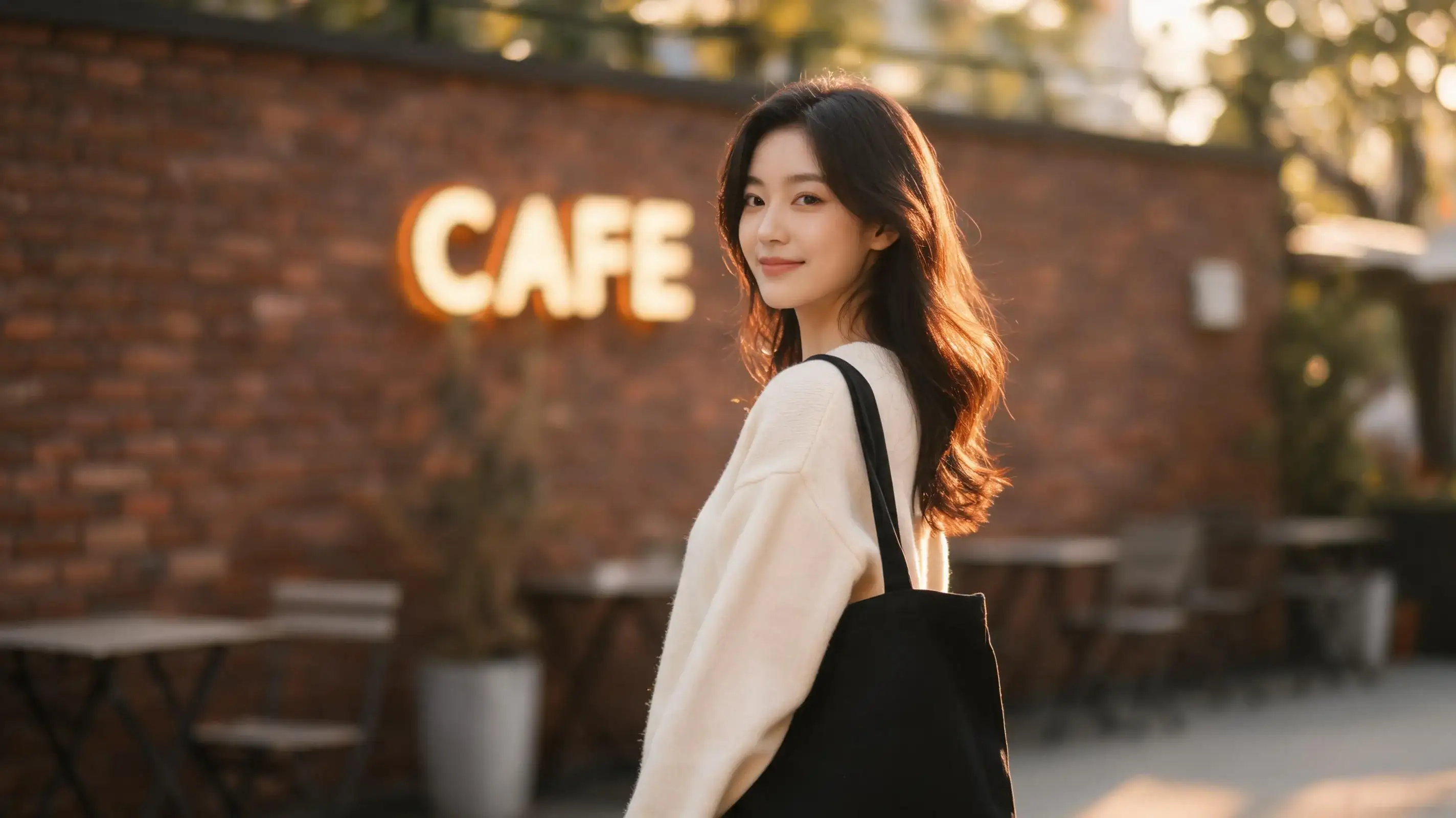
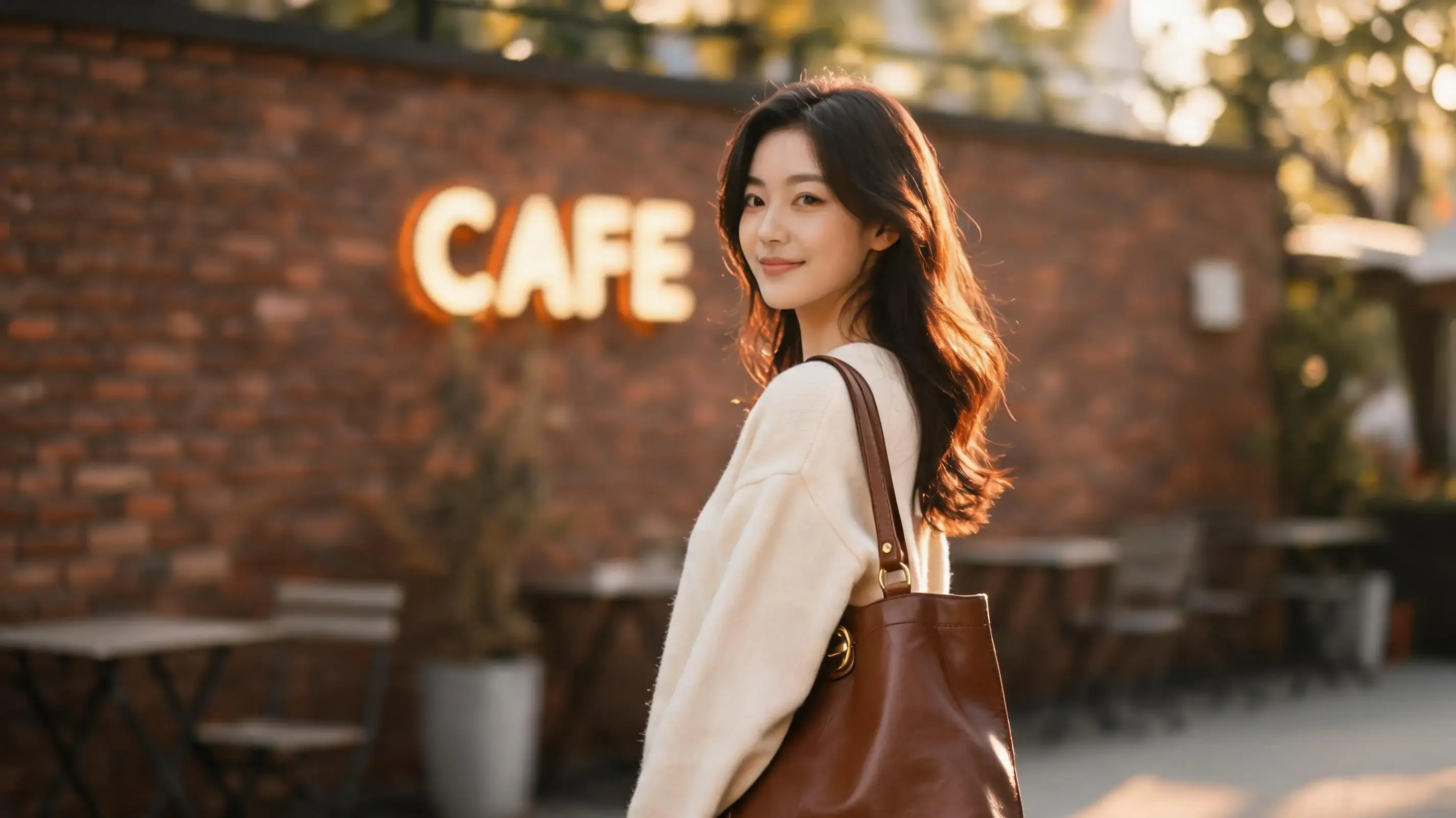
- Why This Works (Analysis): When doing text-based edits, front-loading your constraints ("Maintain X, Y, and Z unchanged") prevents the AI from hallucinating a brand new person. By explicitly anchoring the face and background first, the model safely focuses its pixel mutation solely on the bag item.
- Best Use Cases: E-commerce color/material swaps, fashion styling adjustments.
Use Case 2: Non-Destructive Outfit Swaps for Fast Fashion
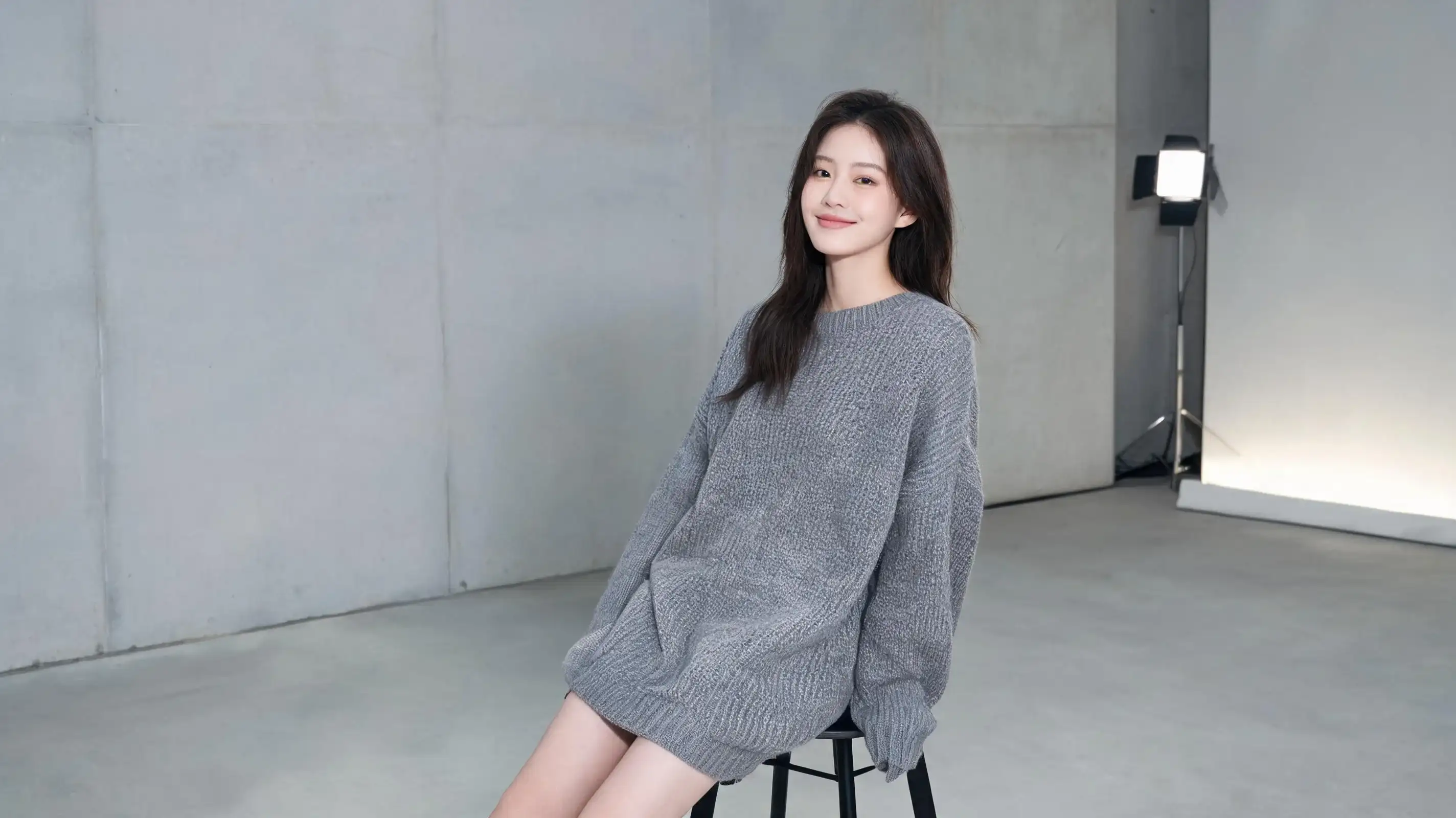
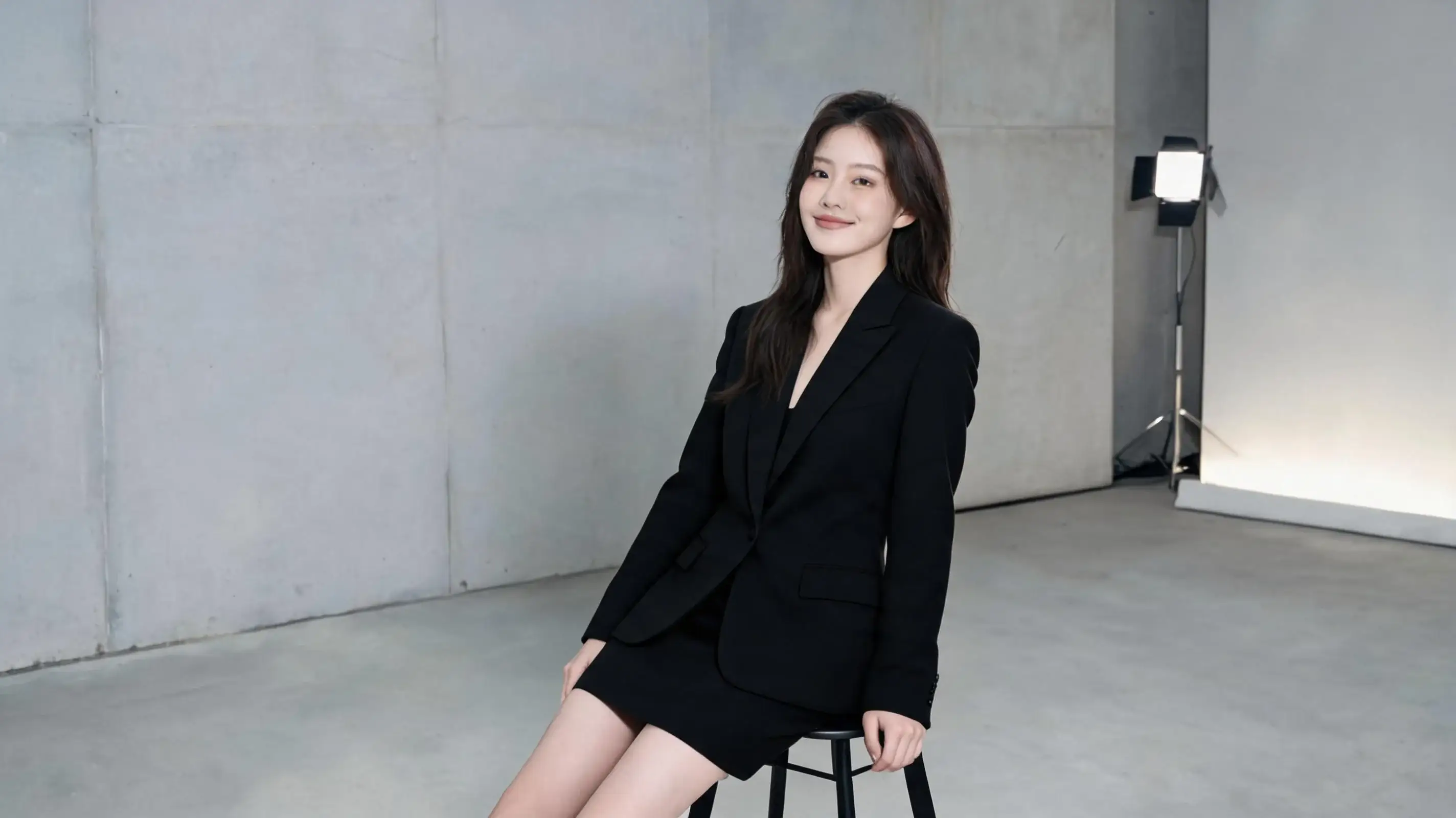
- Why This Works (Analysis): Clothing swaps often fail because the AI tries to reshape the torso. Specifying a structured item like a "tailored black lapel blazer" gives the model clear skeletal boundaries to map over the existing sweater folds without shifting the shoulders.
- Best Use Cases: Quick try-on simulations, apparel e-commerce catalogs.
Use Case 3: AI Object Removal (Eradicating Photobombers with Words)


- Why This Works (Analysis): If you just say "remove object," AI often leaves a blurred hole or creates a strange smudge. Telling the model what texture should replace it (continuous sand texture and foam) forces it to extrapolate environmental patterns intelligently.
- Best Use Cases: Landscape cleanups, street photography editing.
Use Case 4: Summoning Props into Empty Hands
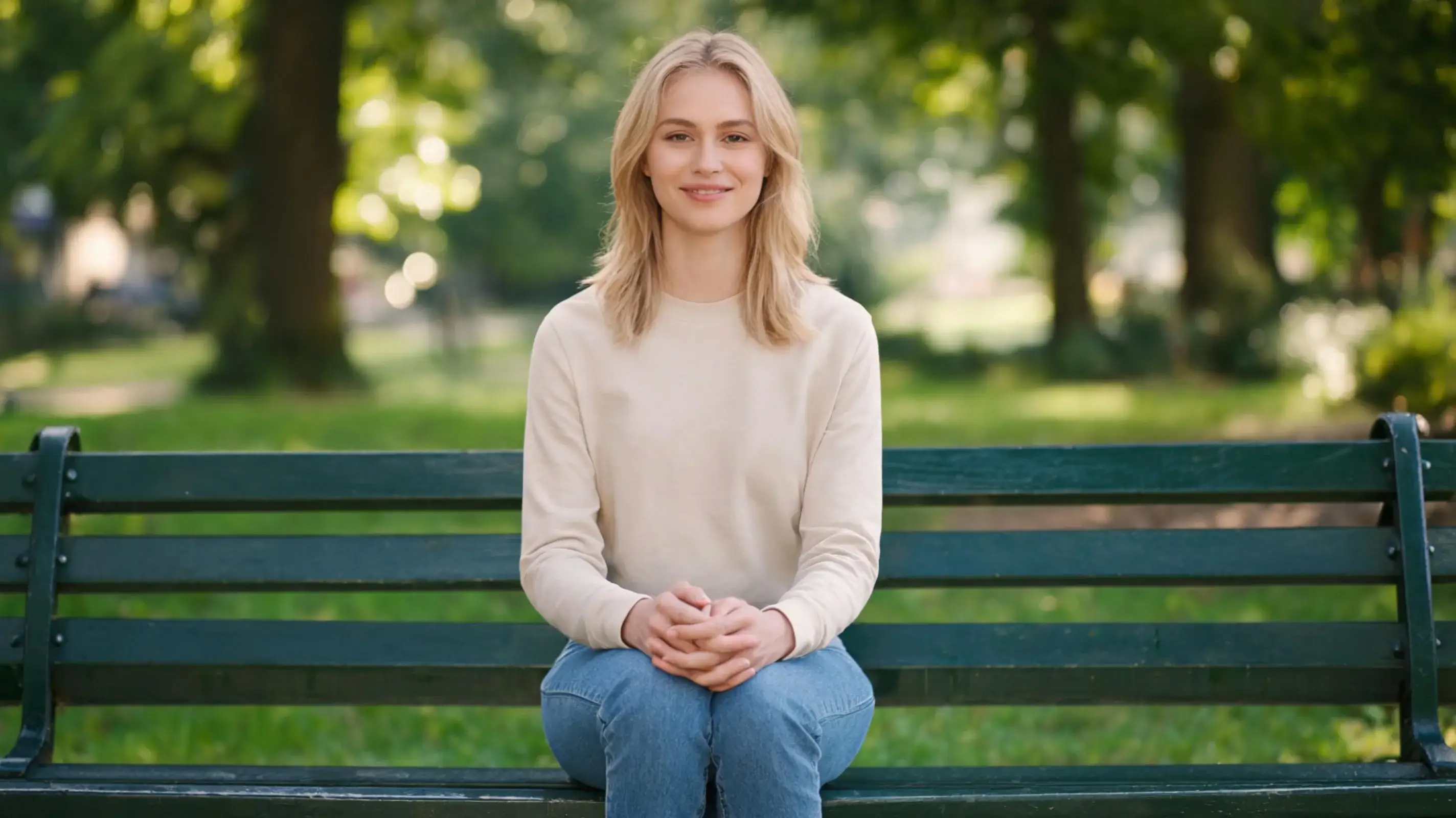
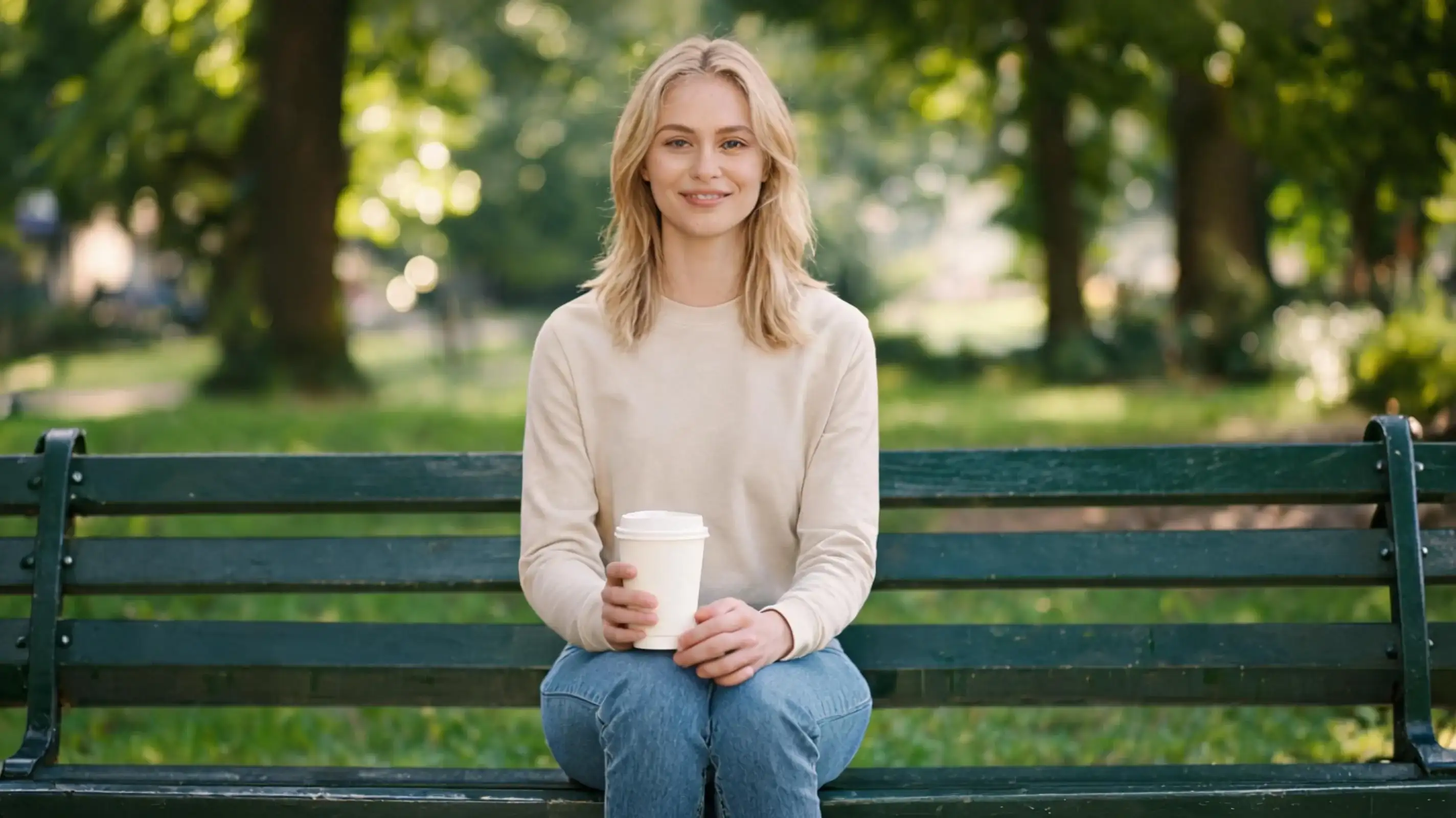
- Why This Works (Analysis): Hands are notoriously fragile for AI. To prevent the coffee cup from looking like a floating alien object, you must explicitly describe the mechanical interaction: "fingers positioned in a natural gripping posture."
- Best Use Cases: Adding lifestyle props, product placement mockups.
Use Case 5: Precision Hairstyle Tweaks

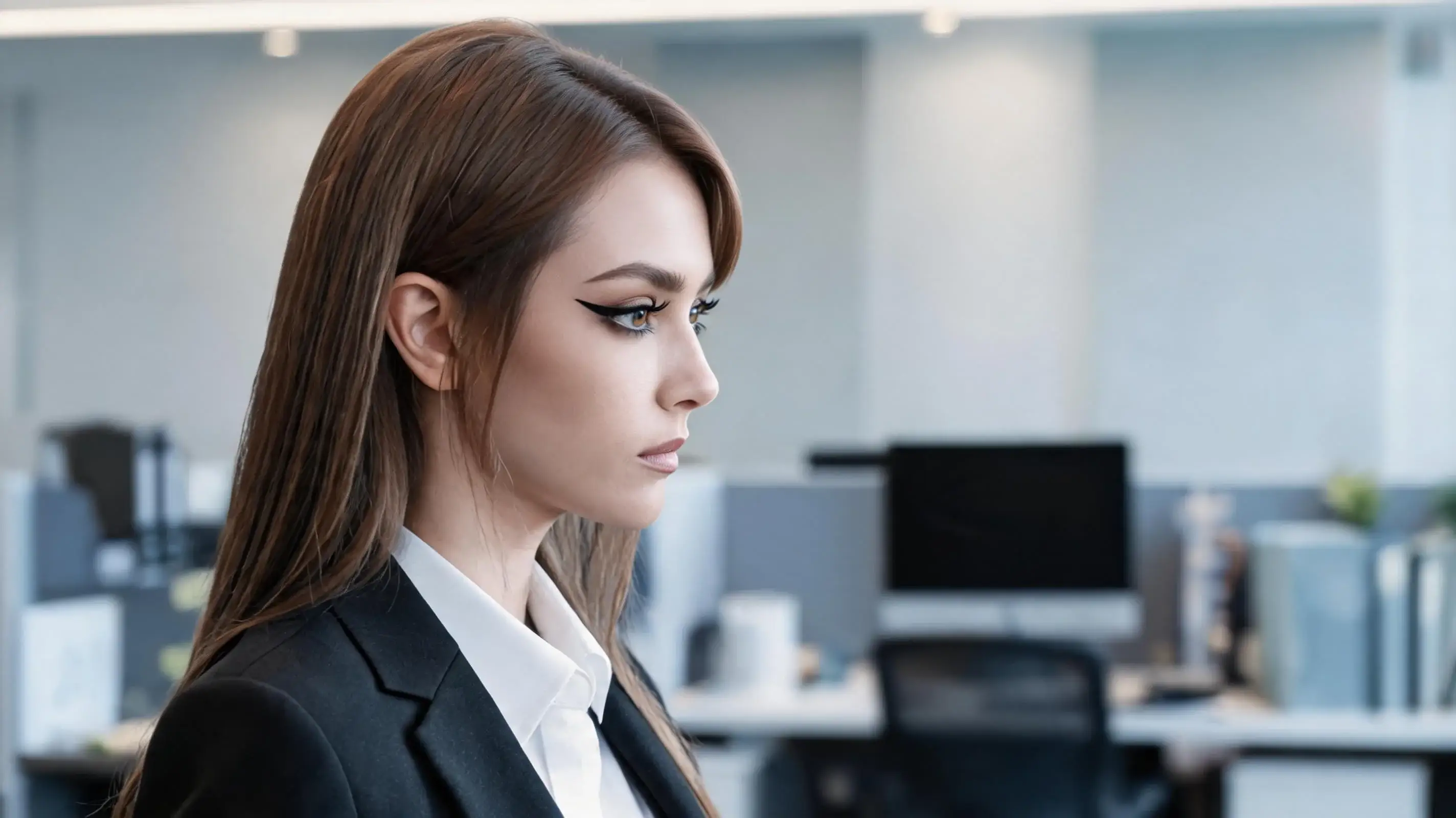
- Why This Works (Analysis): Hair modifications easily trigger face swaps if you aren't careful. By explicitly locking down "face shape, makeup, and hair color," you restrict the AI's editing scope strictly to the hairline geometry.
- Best Use Cases: Virtual hairstyle testing, fixing stray blocking hairs.
Use Case 6: Footwear Upgrades (Sneakers to Stilettos)
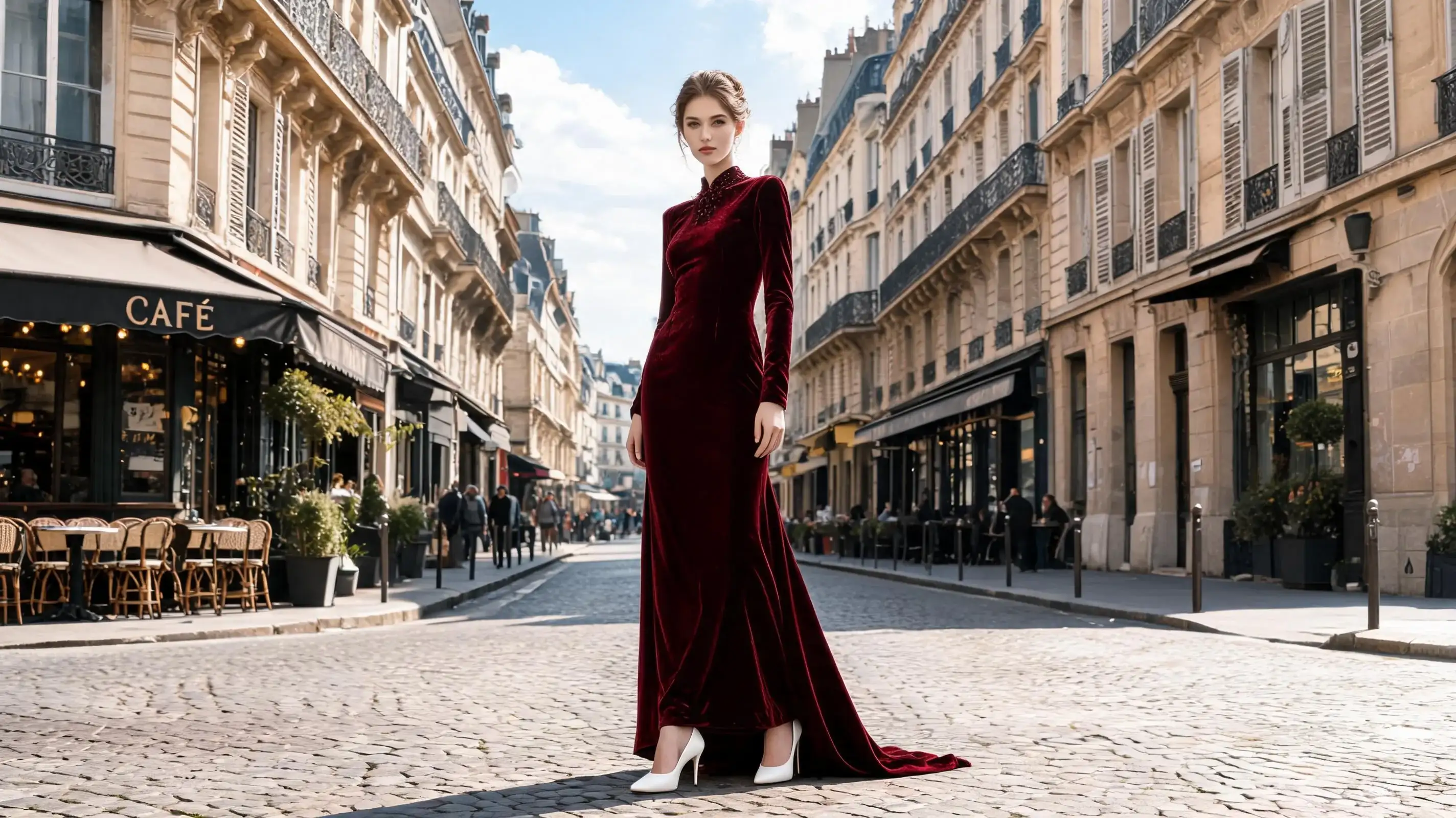
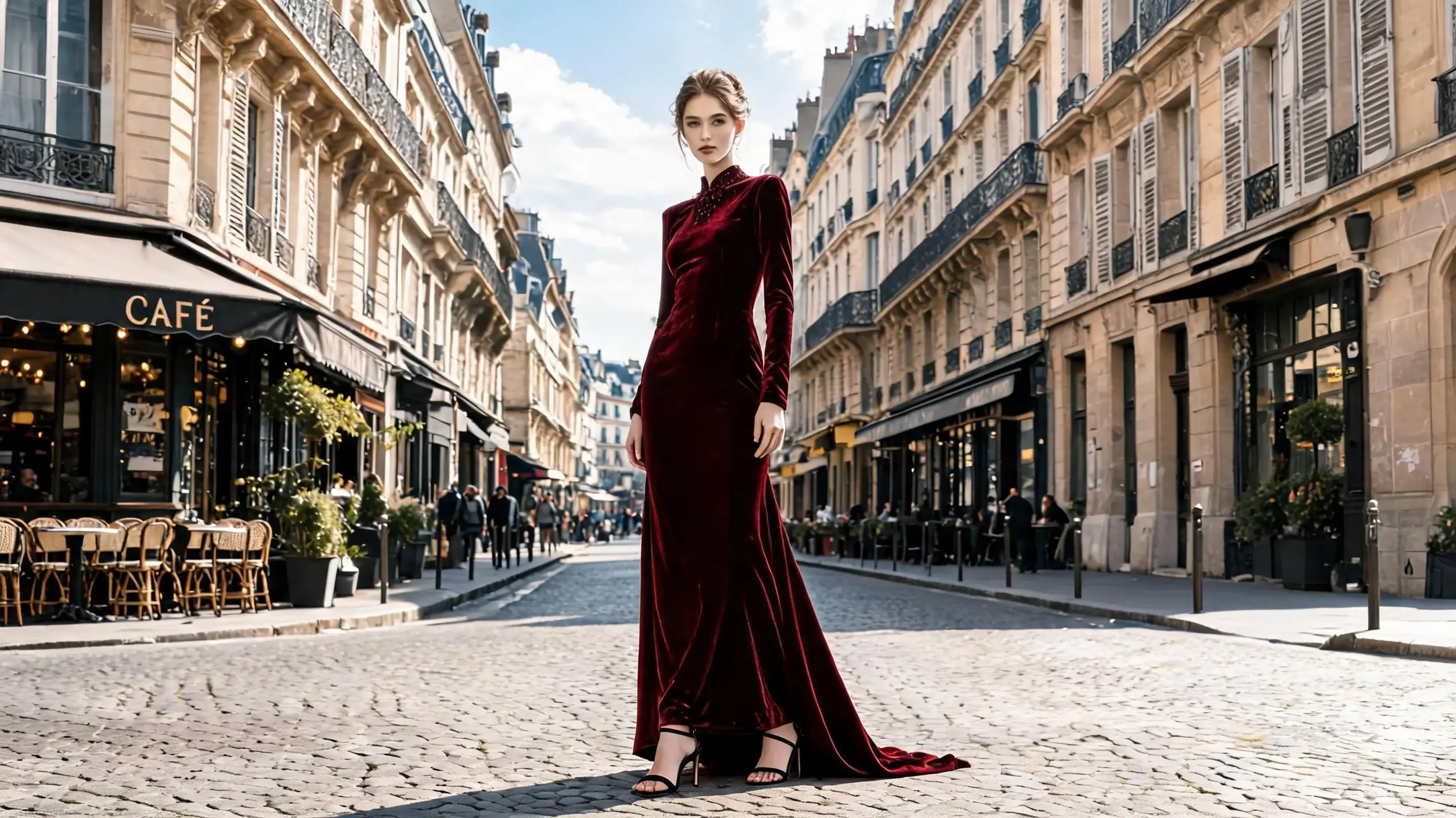
- Why This Works (Analysis): Changing footwear on a full-body image can mess up dress lengths. Locking the "evening gown hemline" acts as a physical boundary line so the shoes don't accidentally merge into the fabric of the dress.
- Best Use Cases: Fashion styling overhauls, footwear e-commerce displays.
Use Case 7: Facial Expression Adjustments (From Stoic to Subtle Smile)
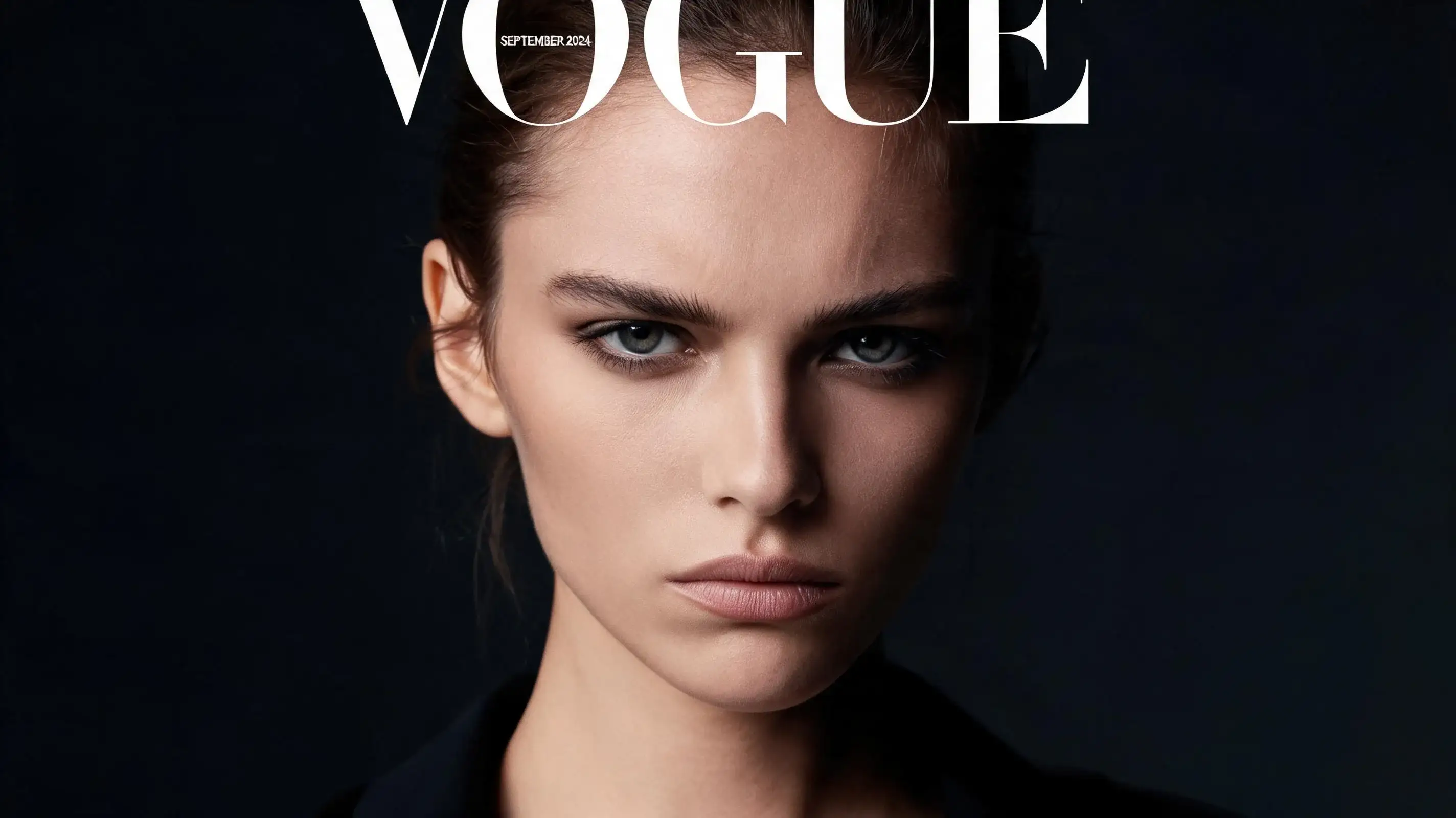
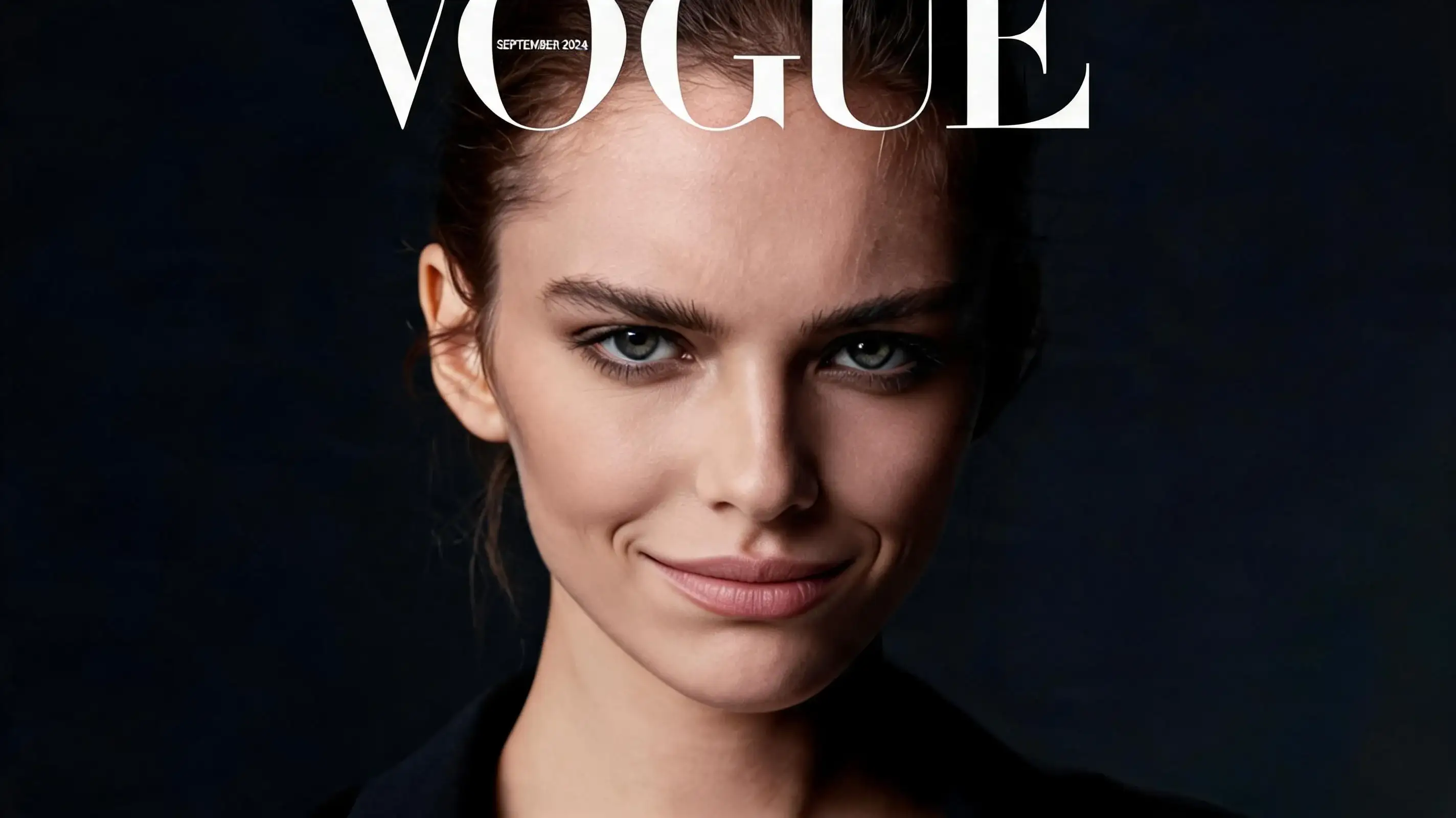
- Why This Works (Analysis): Expression tweaks require surgical precision. Words like "restrained and elegant subtle smile" prevent the model from overreacting and turning a high-fashion portrait into a wide-grin cartoon.
- Best Use Cases: Softening harsh portraits, batch headshot touch-ups.
Use Case 8: Swapping Messy Street Backdrops for Clean Studio Walls
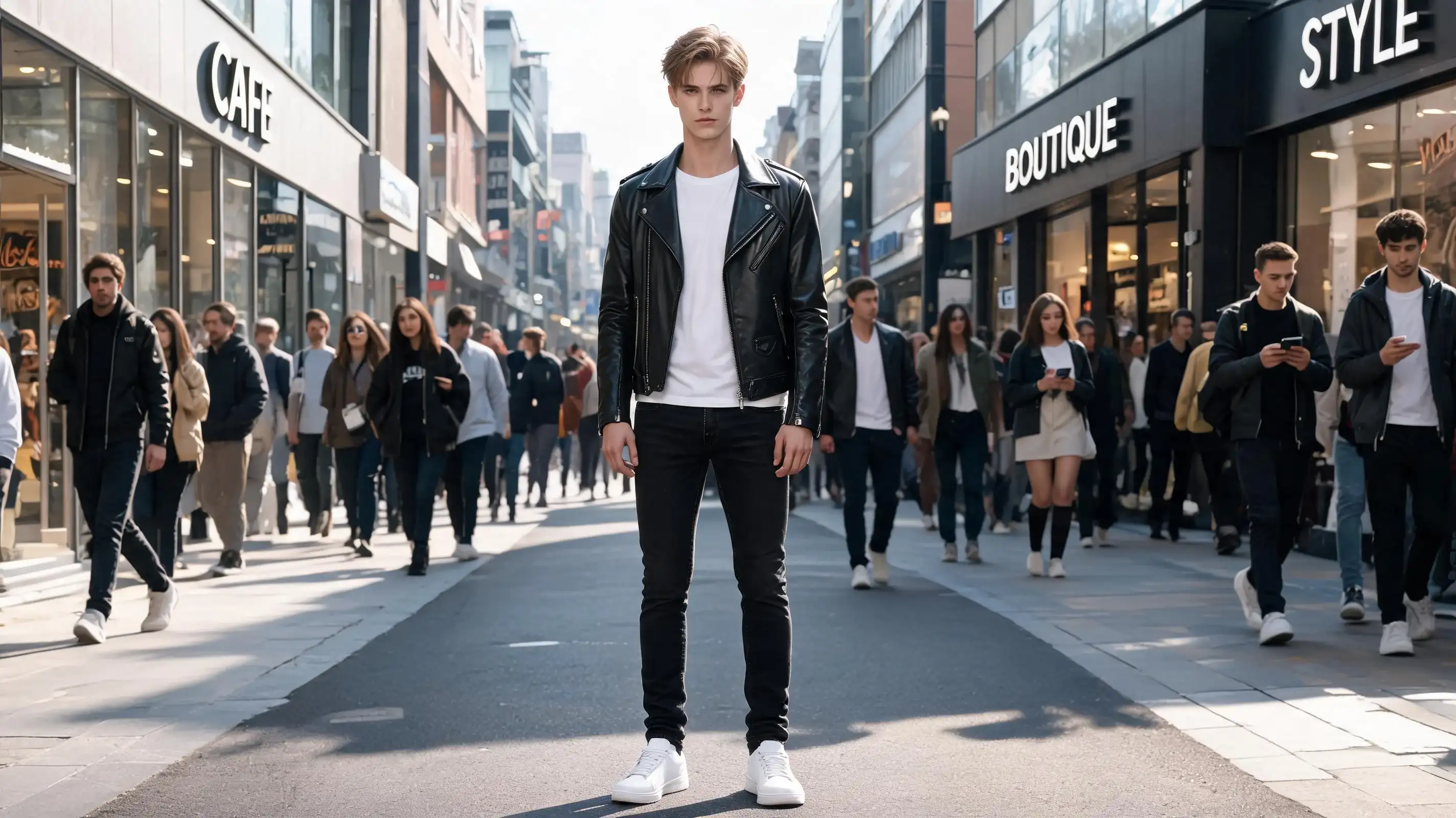
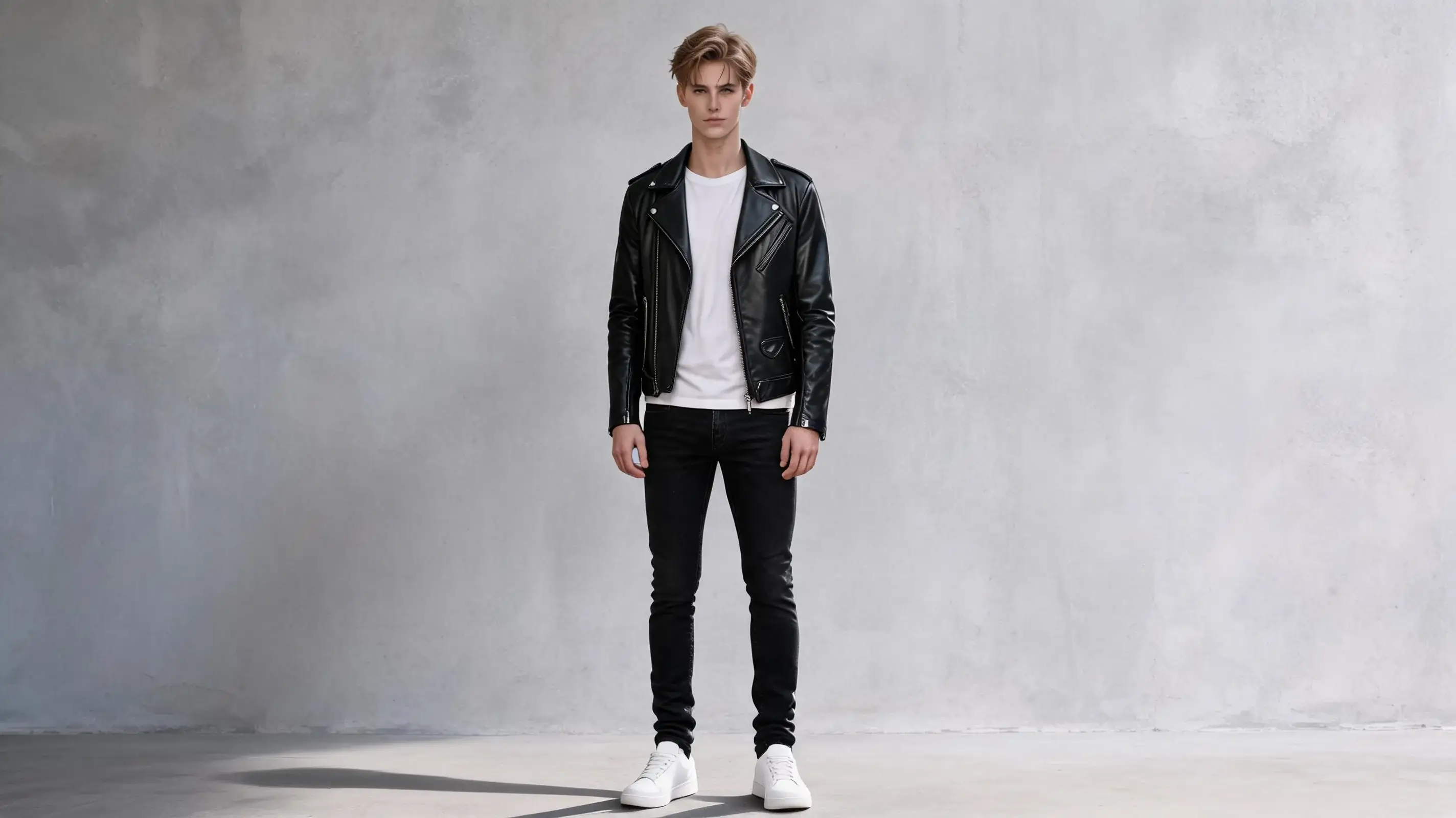
- Why This Works (Analysis): The hardest part of background replacement is the hair edge. Adding "hair edge details" to your retention list tells the AI to preserve fine strand alpha channels instead of creating an ugly white cutout border.
- Best Use Cases: Turning outdoor snapshots into clean studio shots.
Use Case 9: E-Commerce Color Variants Without Losing Fabric Texture
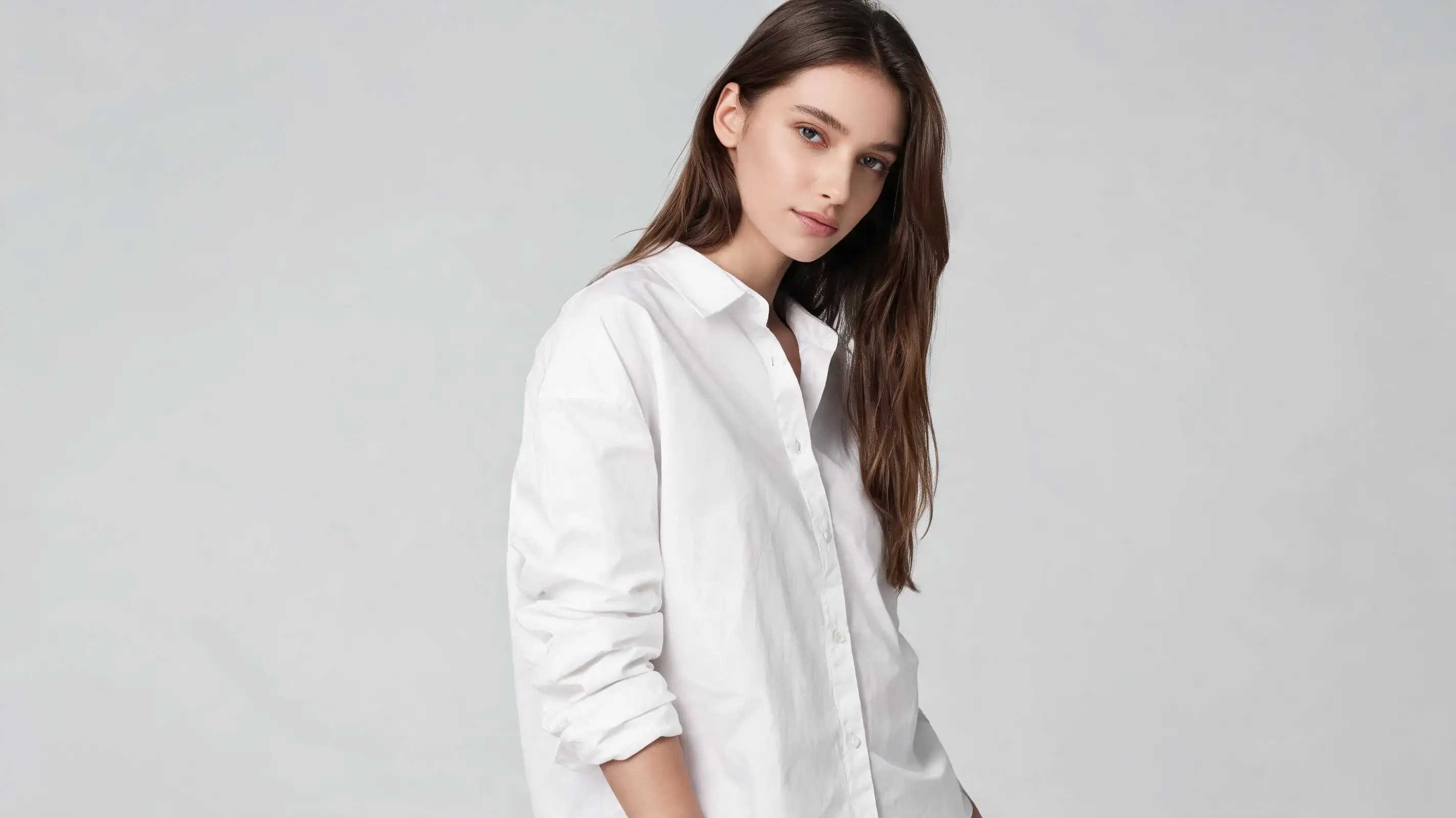
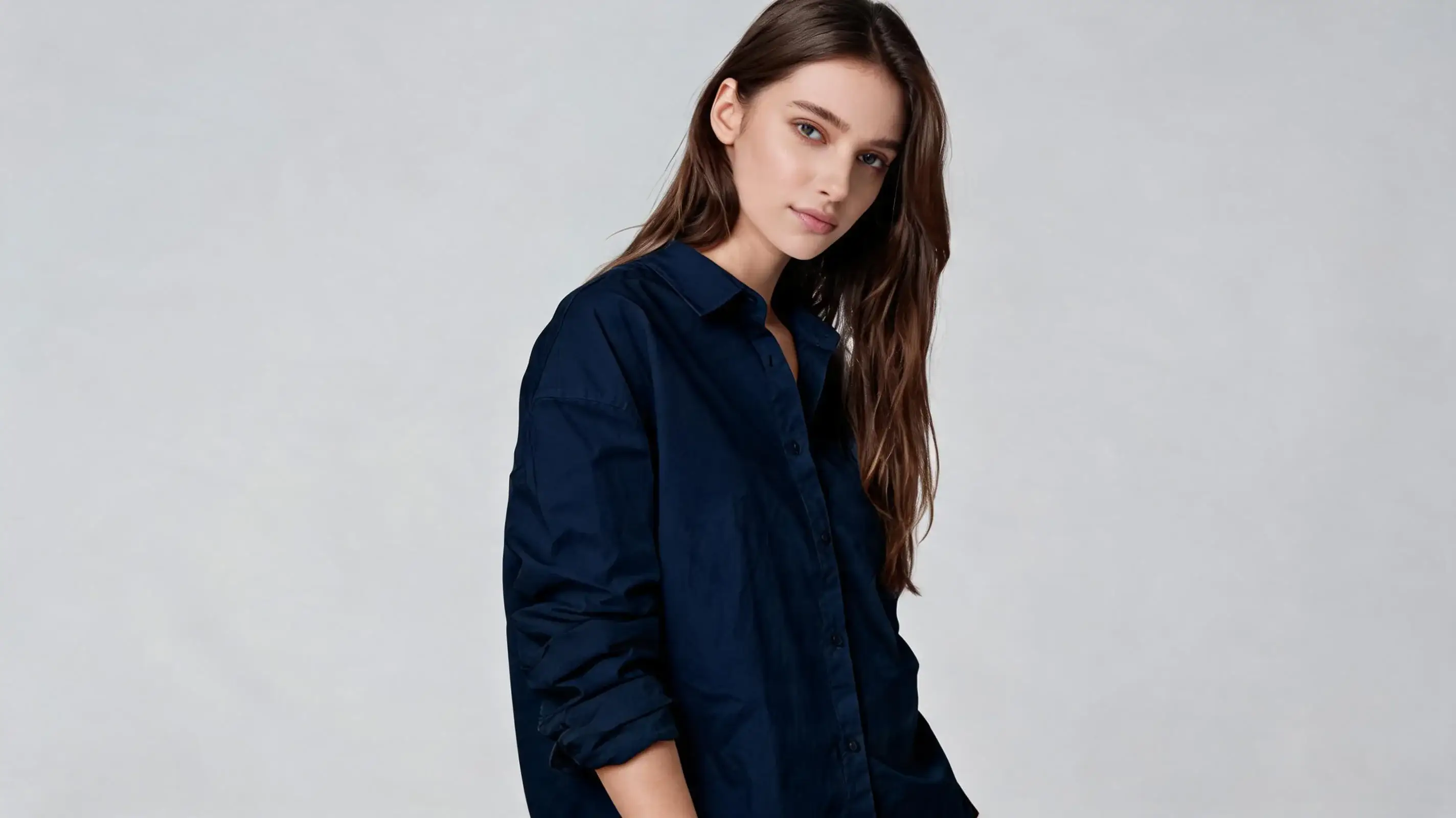
- Why This Works (Analysis): Simple color prompts often turn clothes into flat digital paint layers. Specifying "natural fabric folds, highlights, shadows, and textile weave texture" forces the renderer to maintain realistic physical lighting data across the color shift.
- Best Use Cases: Multi-color product launches, rapid apparel rendering.
Use Case 10: Adding Cinematic Lighting and Rim Glows


- Why This Works (Analysis): Adding artificial lighting effects can completely warp local color palettes. Locking the "indoor warm ambient color temperature" ensures the rest of the room stays natural while only the edge highlights receive the golden sunset treatment.
- Best Use Cases: Upgrading flat photos with cinematic atmosphere.
Conclusion
Mastering text-based image-to-image workflows means you don't need fancy region-masking tools to get professional results. With a solid base prompt and a tightly locked editing prompt, you can steer wann ai with absolute precision.
Stop letting the RNG gods dictate your creative workflow. Try out these prompts on wann ai today and take full control of your image edits!



'%20fill-opacity='.4'/%3e%3cpath%20d='M29.07%2012c.982%200%201.473%200%201.88.194.35.166.667.457.863.79.23.389.27.859.354%201.797.27%203.072.518%207.922-.297%2010.472-1.03%203.22-5.8%206.507-8.257%208.023-.477.295-.715.441-1.038.515a2.227%202.227%200%200%201-.868.006c-.324-.07-.565-.215-1.046-.504-2.512-1.51-7.435-4.811-8.478-8.04-.888-2.752-.622-7.52-.327-10.524.09-.914.135-1.372.365-1.757.196-.327.516-.617.86-.78.407-.193.89-.192%201.853-.192H29.07z'%20fill='var(--fill-0,%20%23FD7F11)'/%3e%3cpath%20d='M26.337%2017.75a.854.854%200%200%201%201.212-.11.872.872%200%200%201%20.11%201.218l-6.088%207.392a.855.855%200%200%201-1.2.122l-.07-.063-3.906-3.944a.871.871%200%200%201%200-1.222.853.853%200%200%201%201.216%200l3.24%203.268%205.486-6.66z'%20fill='var(--fill-0,%20white)'/%3e%3c/svg%3e)