


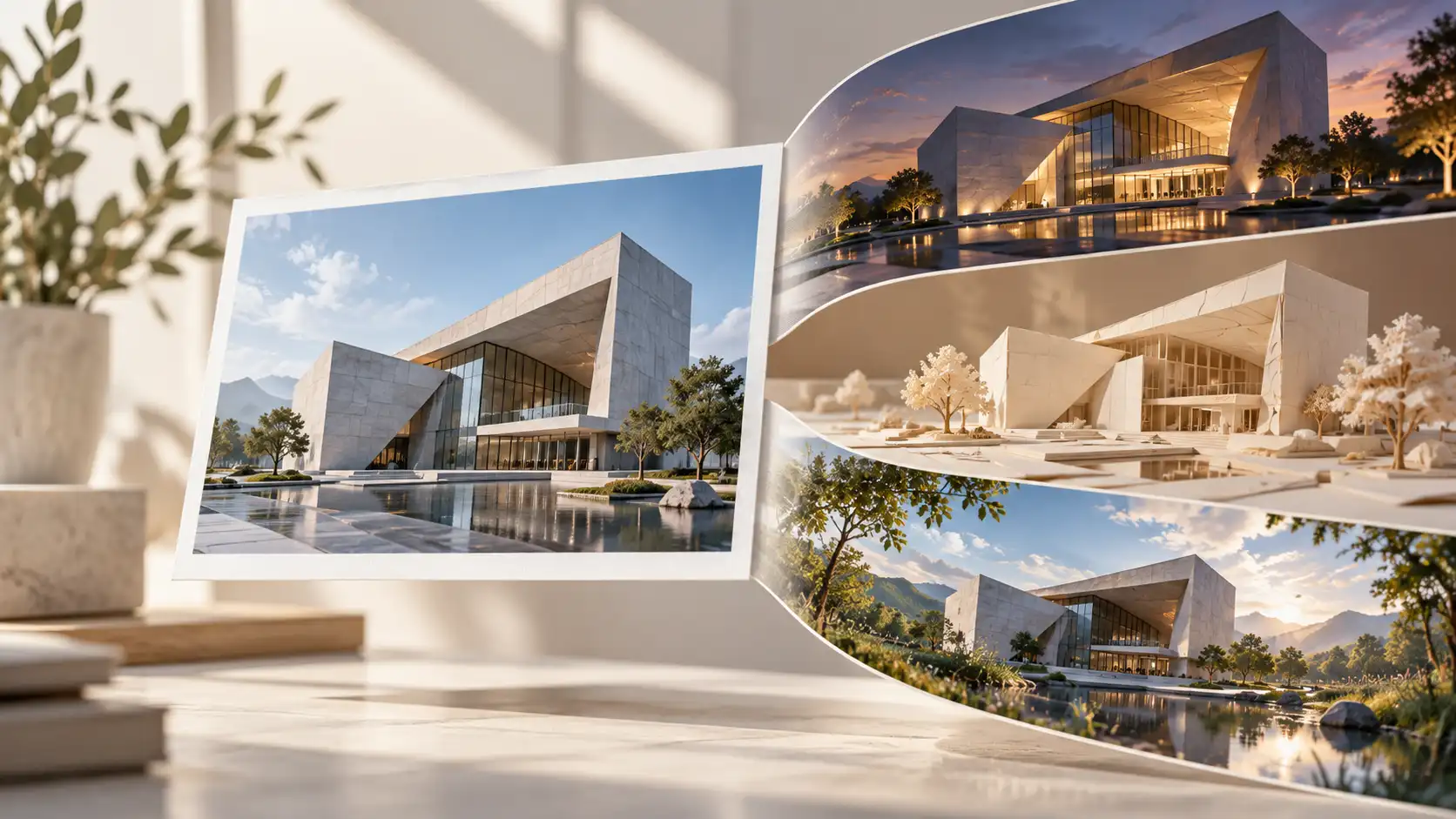

You probably have a folder full of images like these.
A poster you spent hours designing, only to publish it once and forget about it. An interior photograph that looked great in your portfolio but never found another use. Or those sketches, illustrations, and campaign visuals that are still sitting quietly on your computer.
Do they really deserve just one appearance?
Not necessarily.
With AI, static images can become animated posters, design presentations, brand character videos, or even short creative stories.
And you don't always need to shoot anything new.
That's what these AI video ideas from photos are all about: finding new creative uses for visuals you already have.
If your original image needs a little improvement, you can first use Wann AI Image to Image to refine it before moving into video generation. Wann also offers image-to-video and text-to-image workflows, allowing you to develop static visuals and animate them within the same platform.
Before You Generate Anything, Open Your Image Folder
This isn't about creating seven completely unrelated videos from scratch.
Think of it as a small creative experiment:
What happens when you keep the original visual idea but change how it's presented?
| Your Existing Image | What It Could Become |
|---|---|
| A brand poster | An animated promotional poster |
| An architectural or interior image | An atmospheric space showcase |
| A hand-drawn sketch | An animated design presentation |
| A magazine cover | A motion editorial |
| An original artwork | An animated art scene |
| A brand mascot illustration | A character-driven brand video |
| An event invitation | An animated invitation video |
Ready? Let's give those forgotten files something new to do.
Experiment 01: Turn a Static Brand Poster Into an Animated Campaign
Full tutorial · Recommended video demonstration
Original Material: An existing brand poster.
Creative Goal: Introduce subtle movement into the original design and turn it into a video suitable for social media, websites, or event promotion.
A brand poster usually finishes its job once it's published.
But what if the main design elements could move?
Imagine a spring campaign poster featuring an elaborate paper flower. We can preserve its original composition while making the petals slowly unfold, introducing subtle paper movement, and gently pushing the camera toward the subject.
There's no need to redesign the entire poster.
How to Create It
Step 1: Prepare the original poster
If you already have a poster, use it directly. Otherwise, you can generate a text-free visual background to recreate this experiment.
Reference Image Prompt
| Reference Image Prompt | Output |
|---|---|
| 16:9 horizontal composition, a premium modern visual background for a spring creative campaign poster. The main subject is a large three-dimensional flower made from multiple layers of beautifully crafted colored paper, with delicate paper textures on each petal. Soft light beige background with subtle natural shadows. A sophisticated combination of contemporary graphic design and realistic paper-art photography, clean composition with space reserved for a headline, no text, no logo, no watermark. | 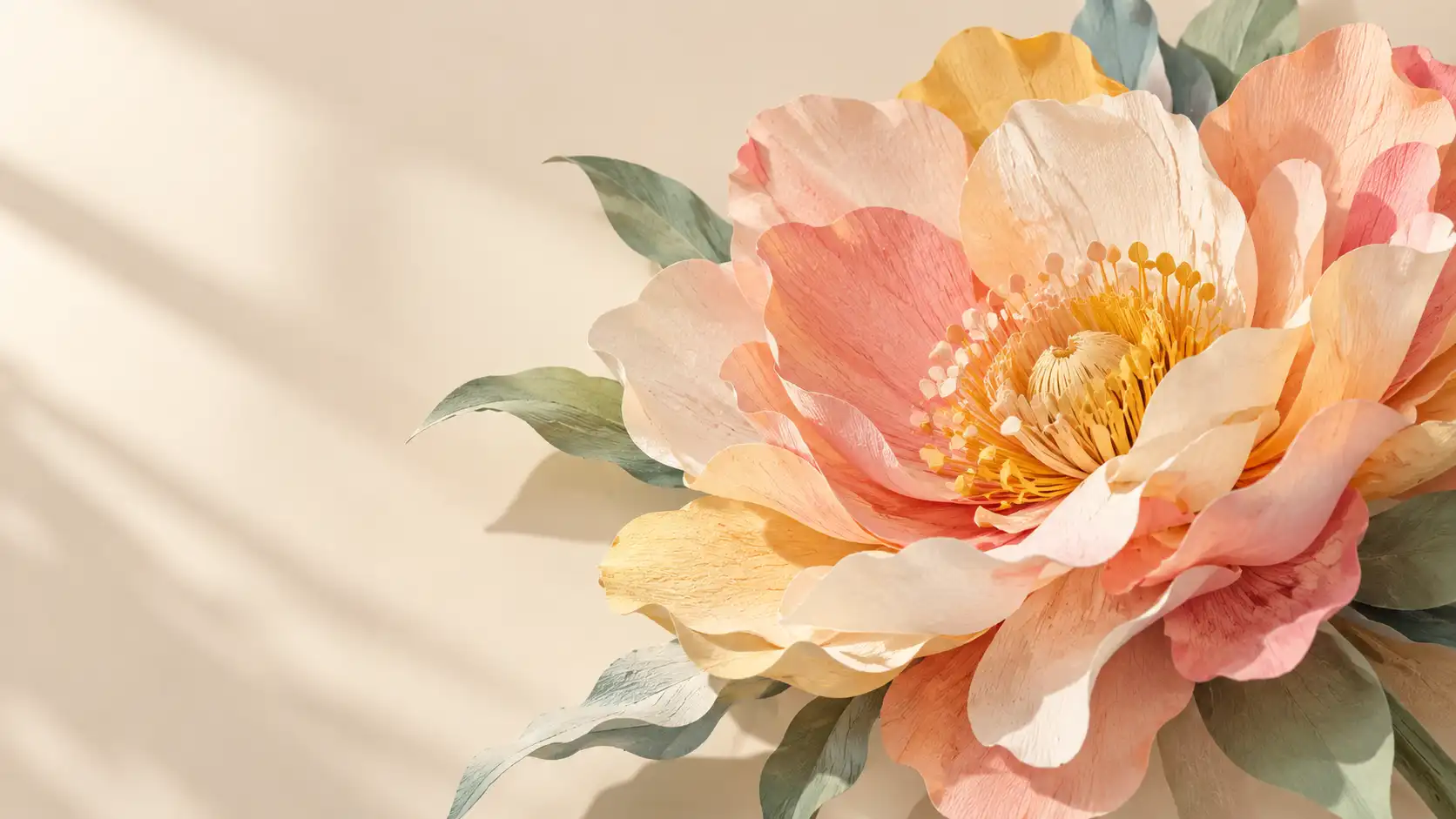 |
Step 2: Choose one main movement
Animating a poster doesn't mean everything needs to move at once.
For this example, we'll animate only the flower and use a simple camera push.
Video Prompt:
The three-dimensional paper flower in the center of the poster slowly unfolds its outer petals. The delicate paper bends naturally, creating subtle changes in texture and shadow. The camera slowly pushes toward the center of the flower. Keep the background stable and preserve the original composition and color palette. The movement should be elegant and continuous, without introducing any new objects.
Step 3: Show the Before / After result
Why does this transformation work?
The original poster already has a strong visual identity. Our job is to introduce motion, not replace the design.
That way, an existing creative asset can become another piece of promotional content without losing its original style.
Best for: Brand campaigns, event teasers, website banners, and social media promotions.
Watch out: If the original poster contains important headlines, dates, or brand names, consider animating a text-free version first. You can add the original typography back during editing to reduce the risk of distorted letters.
Experiment 02: Show Different Atmospheres Using One Interior Image
Supporting illustration · Creative transformation
Original Material: An architectural photograph or interior design rendering.
Creative Goal: Present different moods through lighting without changing the original space.
A good interior photograph can already showcase a finished design.
But it usually captures only one moment.
What if you could show the same room transitioning from morning to evening?
One image could communicate several different atmospheres without changing the furniture or layout.
Three Ways to Reuse the Same Interior
Morning LightSoft morning sunlight slowly enters the room, creating gentle natural shadows.
Golden HourWarm evening sunlight enters through the window, highlighting furniture and wall textures.
Evening AtmosphereNatural light gradually fades as the indoor lighting slowly turns on.
You don't need to produce all three versions.
Start with the atmosphere that best complements your original image.
| Image Prompt | Output |
|---|---|
| 16:9 horizontal composition featuring three side-by-side realistic interior photographs of exactly the same modern minimalist study. The room contains a light wooden desk, a black desk lamp, bookshelves, and a large window. The left panel shows soft natural morning light, the middle panel shows warm golden-hour sunlight, and the right panel shows a cozy evening atmosphere with the desk lamp illuminated. Furniture placement, architecture, camera angle, and composition must remain identical across all three images. Only the time of day and lighting should change. Premium realistic interior design photography, no text, no logo, no watermark. | 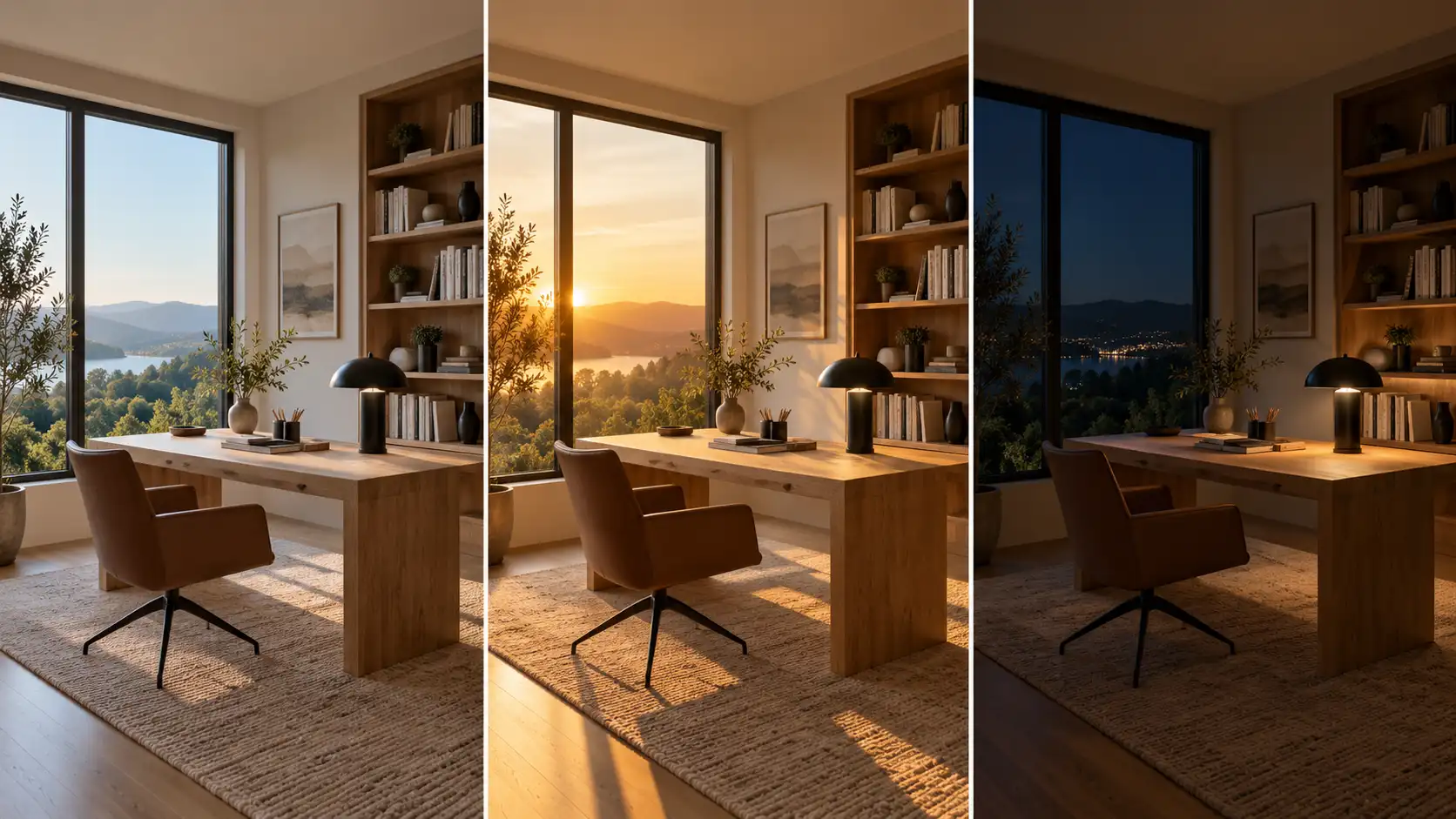 |
How to approach the animation
When converting the image into a video, keep the camera fixed and concentrate the movement on changes in lighting and atmosphere.
If the furniture starts moving too, you've drifted away from the original goal of showcasing the same space.
Best for: Interior design portfolios, architectural presentations, home decor brands, and atmospheric videos.
Watch out: Walls, windows, furniture, and architectural details should stay consistent. If you're presenting a real design project, make sure the generated visuals aren't mistaken for unedited photographs of the actual space.
Experiment 03: Transform a Hand-Drawn Sketch Into a Finished Product
Full tutorial · Recommended video demonstration
Original Material: A simple hand-drawn product sketch.
Creative Goal: Create a visual transition from a flat drawing to a finished three-dimensional product.
If you regularly create design sketches, this experiment is worth trying.
Imagine simple lines on a piece of paper gradually gaining depth, materials, and realistic details until they become a finished object.
Instead of using another car, headphone, or perfume bottle, let's create something different:
A modern desktop clock.
How to Create It
Step 1: Prepare the original sketch
The sketch should clearly show the product's overall shape. You don't need to include every tiny detail.
| Reference Image Prompt | Output |
|---|---|
| 16:9 horizontal image of a product design sketch placed on a light-colored design workbench. A sheet of thick white paper contains a black pencil drawing of a modern desktop clock. The clock has a rounded rectangular body, a small circular clock face, and a minimalist metal stand. Subtle pencil strokes and construction lines remain visible, the paper lies flat on the desk, overhead camera angle, realistic industrial design sketch photography, no text, no logo, no watermark. | 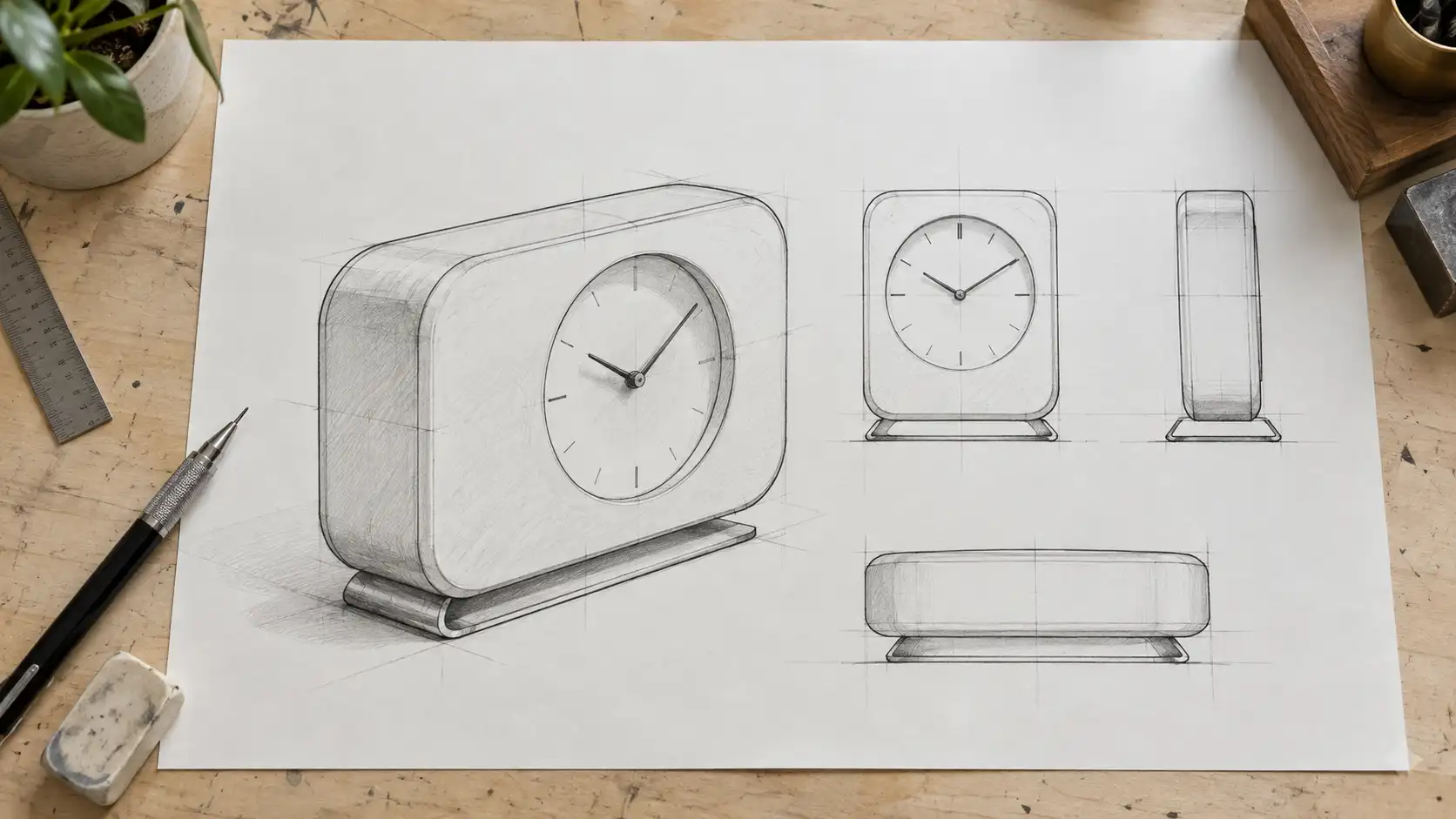 |
Step 2: Generate a finished product rendering
This step matters.
Rather than asking the video model to invent the entire transformation, prepare two clear visual references first:
Image A: The original sketch.
Image B: The finished product rendering.
You can use Wann Image to Image to preserve the main shape of the sketch while developing a realistic product image.
| Image-to-Image Prompt | Output |
|---|---|
| Use the uploaded product sketch as the structural reference. Preserve the desktop clock's overall silhouette, rounded rectangular body, small circular clock face, and metal stand. Transform the hand-drawn design into a realistic modern industrial product rendering. Use a light beige matte finish for the main body and brushed metal for the stand. Place the completed clock in a clean white photography studio. Maintain accurate proportions and a complete, believable structure. Commercial product photography, no text, no logo, no watermark. | 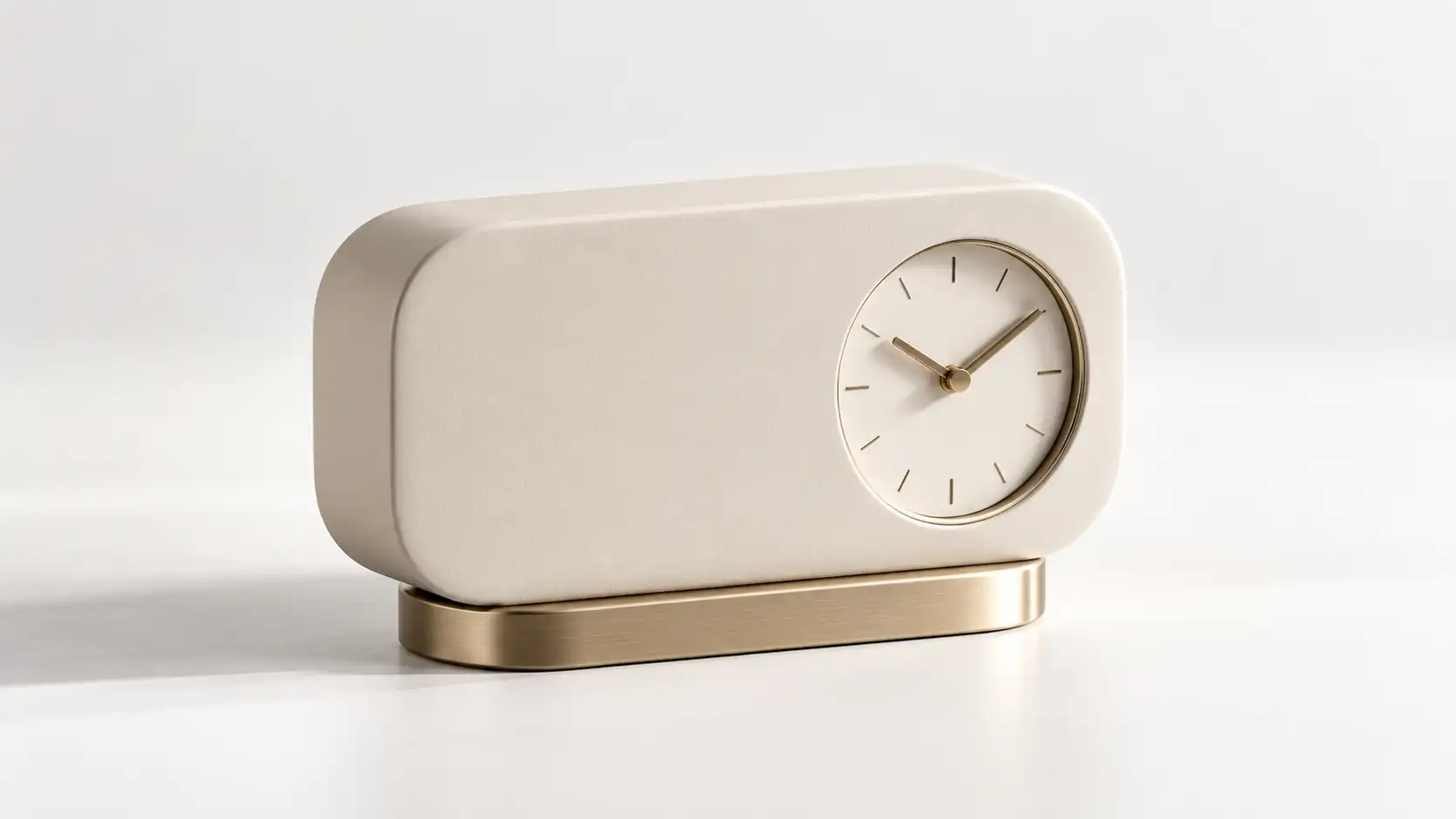 |
Step 3: Animate the transformation
If your selected video model supports first-and-last-frame generation, use the sketch and finished product as the starting and ending references.
Video Prompt:
Begin with the hand-drawn clock sketch resting on the desk. The black design lines slowly rise from the paper and form a clear three-dimensional outline. A light beige matte surface and brushed metal details gradually develop across the product, naturally transforming the drawing into a complete modern desktop clock. The camera slowly moves from an overhead view to a front three-quarter product angle. Preserve continuity in the clock's core silhouette, clock-face position, and stand structure throughout the transformation. Keep the transition smooth without adding unnecessary components.
Why is this example worth creating?
This isn't simply about adding movement to an existing picture.
It communicates an entire creative process:
Initial idea → Visual development → Finished design
For designers, that can be a compelling way to show how a concept evolves into a completed project.
Best for: Industrial design portfolios, creative presentations, product concepts, and design-process videos.
Watch out: The more complicated the original sketch, the more useful it becomes to prepare a clear final product image. Don't expect the video model to invent the final structure, materials, and proportions while also managing a smooth transformation.
Experiment 04: Turn a Fashion Magazine Cover Into a Motion Editorial
Supporting illustration · Visual transformation
Original Material: A fashion photograph or magazine cover background.
Creative Goal: Preserve the original editorial aesthetic while introducing restrained character and camera movement.
Ordinary character videos usually focus on whether the action looks natural.
A motion editorial is different.
It is more about attitude and visual presence.
The model doesn't necessarily need to walk or perform an elaborate action.
A subtle change in gaze, a small movement of the hair, or a gentle camera push can be enough.
Three Elements You Can Animate
| Element | Suggested Movement |
|---|---|
| Facial expression | Slowly shift from a side gaze to direct eye contact |
| Clothing | Introduce subtle natural movement in the collar or jacket |
| Camera | Gently push from a medium shot toward the face |
| Image Prompt | Output |
|---|---|
| 16:9 horizontal composition, premium international fashion magazine editorial photography. A stylish 28-year-old adult European female model stands inside a modern geometric architectural space, wearing a structured cream-colored long blazer. Her long dark brown hair falls naturally around her shoulders. She faces the camera from a three-quarter angle, with bright contemporary architecture in the background. Soft natural lighting, realistic skin texture, sophisticated composition, negative space on the left for typography, no generated text, no logo, no watermark. | 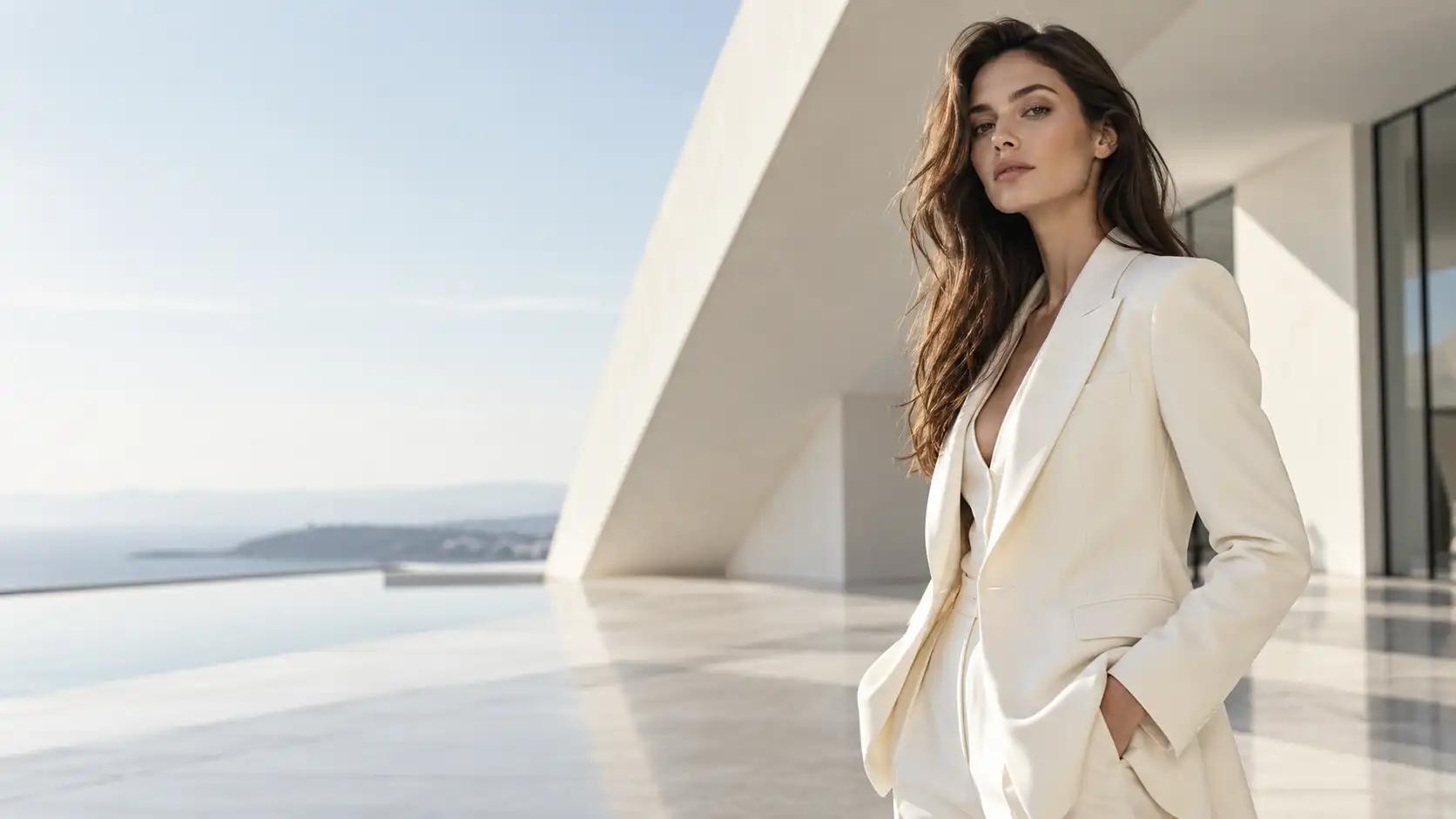 |
Why this approach works
Too much movement can ruin the refined feeling of an editorial photograph.
Prioritize consistent facial features, clothing, and camera movement instead.
If the original cover includes a headline, issue number, or other typography, you can add those elements after generating the motion background.
Best for: Fashion editorials, brand films, photography portfolios, and social media covers.
Experiment 05: Make the World Inside a Painting Come Alive
Supporting illustration · Artistic creation
Original Material: An original illustration or artwork.
Creative Goal: Preserve the painting's visual style while animating selected elements.
If a painting could move, which part would you animate first?
The branches? The clouds outside a window? Perhaps the light falling across the landscape?
The interesting part of this experiment is that you don't need to turn the artwork into photorealistic footage.
Preserving its original brushwork and texture can actually make the result more appealing.
Let's use a peaceful watercolor painting as our example.
The image features a small mountain cabin, plants in the foreground, and layers of distant mountains.
Divide the Animation Into Three Layers
Foreground: Plants sway gently.
Middle ground: A warm light gradually appears inside the cabin.
Background: Thin clouds slowly drift across the sky.
This creates depth without disrupting the original artwork.
| Image Prompt | Output |
|---|---|
| 16:9 horizontal composition, an exquisite original hand-painted watercolor illustration featuring a small wooden cabin in a peaceful mountain valley. Wildflowers and green plants grow around the cabin, with soft blue-green mountain ranges and a pale sky in the distance. Natural watercolor pigment diffusion, delicate brushstrokes, and authentic paper texture are clearly visible. Warm, comfortable artistic atmosphere, realistic watercolor-on-paper appearance, not photorealistic, no people, no text, no logo, no watermark. | 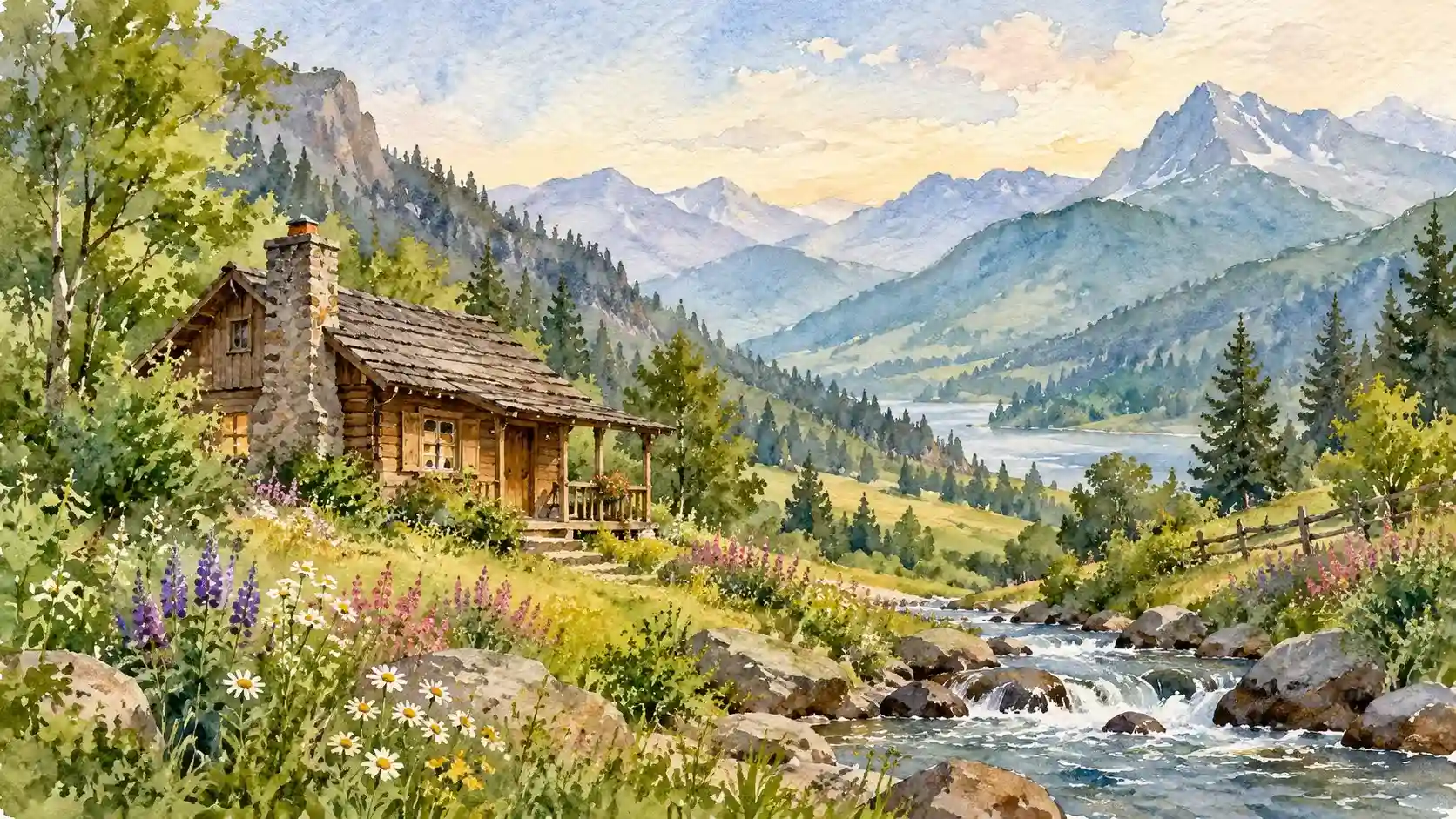 |
How to approach the animation
If your goal is to create a moving painting, make this requirement explicit in the video prompt:
Preserve the original watercolor brushwork, colors, and paper texture. Do not transform the artwork into realistic photography.
Otherwise, you might end up with a realistic wooden cabin instead of a watercolor painting that has come to life.
Best for: Art accounts, portfolio presentations, illustration promotion, and creative video backgrounds.
Experiment 06: Give Your Brand Mascot Its First Animated Short
Full tutorial · Recommended video demonstration
Original Material: An existing brand mascot illustration.
Creative Goal: Give a static character a simple, recognizable action that reflects its personality.
Brand mascots often have one small problem.
They look great in design files, but they spend most of their lives standing perfectly still.
If you've already invested in creating a recognizable character, why not turn it into reusable video content?
For this experiment, we'll create an original mascot:
A rounded little green dinosaur carrying a yellow messenger bag.
How to Create It
Step 1: Prepare the character reference
If you already have a mascot, upload the original design.
Otherwise, begin with a clean character reference image.
| Reference Image Prompt | Output |
|---|---|
| 16:9 horizontal composition, an original cartoon brand mascot featuring a cute rounded green dinosaur with short limbs, large expressive eyes, and three soft rounded fins along the top of its head. The dinosaur wears a bright yellow messenger bag across its shoulder. The character stands naturally facing the camera, with its full body clearly visible. Clean modern high-quality 3D cartoon character design, plain light beige background, soft studio lighting, no text, no logo, no watermark. | 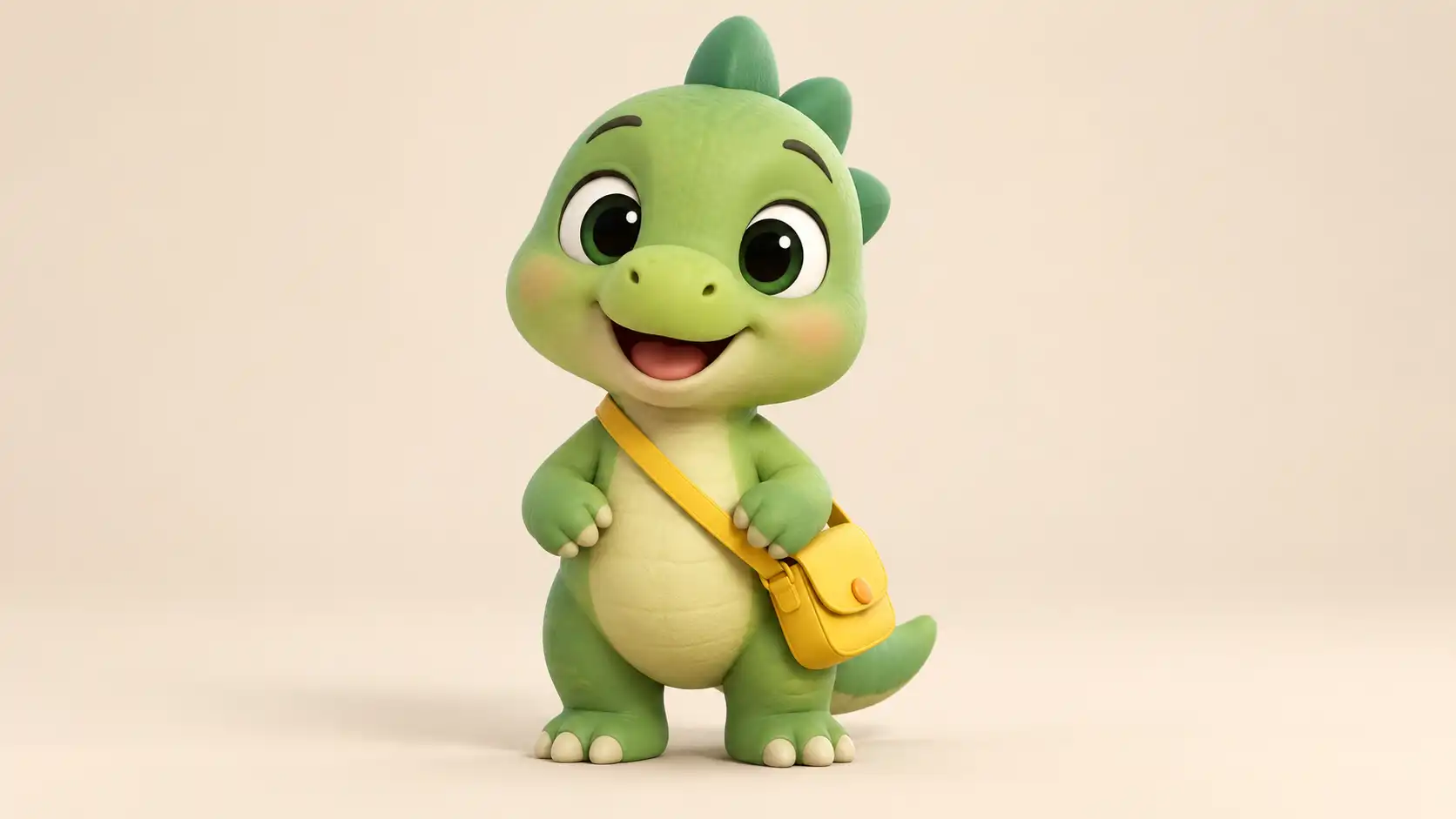 |
Step 2: Design an action that reflects the mascot's personality
Your mascot's first video doesn't need an elaborate storyline.
For example, our dinosaur could open its messenger bag, take out a small letter, and happily wave at the camera.
The action fits its visual design and gives viewers something memorable.
Video Prompt:
The little green dinosaur looks down and opens its yellow messenger bag, then takes out a small white envelope. It raises its head, looks toward the camera, happily holds up the envelope, and gently waves with its other hand. Keep the movement natural and playful, using a fixed medium shot. Preserve the character's original green body, rounded shape, three head fins, large eyes, and yellow messenger bag. Do not change the character's identity or introduce additional characters.
Step 3: Don't use the character just once
The real value of an animated mascot comes from reusing it.
You can continue developing different videos around the same character:
- Seasonal greetings
- New feature announcements
- Event countdowns
- Everyday social media updates
One character design can become the foundation for an entire collection of branded videos.
Why this works
Instead of generating a different mascot every time, use the same character reference and preserve its defining visual features.
That makes it easier to build a recognizable brand identity across multiple pieces of content.
Best for: Brand characters, product promotion, social media series, and website animations.
Watch out: Pay attention to accessories, colors, and body proportions. If those details keep changing, your mascot can quickly lose its recognizable identity.
Experiment 07: Turn an Ordinary Event Invitation Into an Animated Video
Supporting illustration · Event promotion
Original Material: An event invitation or seasonal promotional graphic.
Creative Goal: Preserve the original design while turning it into a short animated invitation that can be shared online.
An invitation already serves a clear purpose.
But compared with sending a static image, a little motion can make the announcement feel more memorable.
For example, imagine an exhibition invitation featuring botanical elements and natural materials.
The paper slowly unfolds, decorative leaves appear along the edges, and the camera settles on the complete invitation.
Recommended Workflow
Create an animated visual background without text first.
Then add the accurate event title, date, and location during editing.
This gives you more control than asking the video model to generate every piece of typography correctly while the image moves.
| Image Prompt | Output |
|---|---|
| 16:9 horizontal composition, a premium modern art exhibition opening invitation designed on thick textured ivory paper, placed on a light natural stone tabletop. Elegant dark green botanical silhouettes and subtle embossed decorations appear around the paper's edges. Soft sunlight creates realistic natural shadows. A refined combination of minimalist contemporary graphic design and realistic still-life photography. Sophisticated composition with generous central space reserved for typography, no text, no logo, no watermark. | 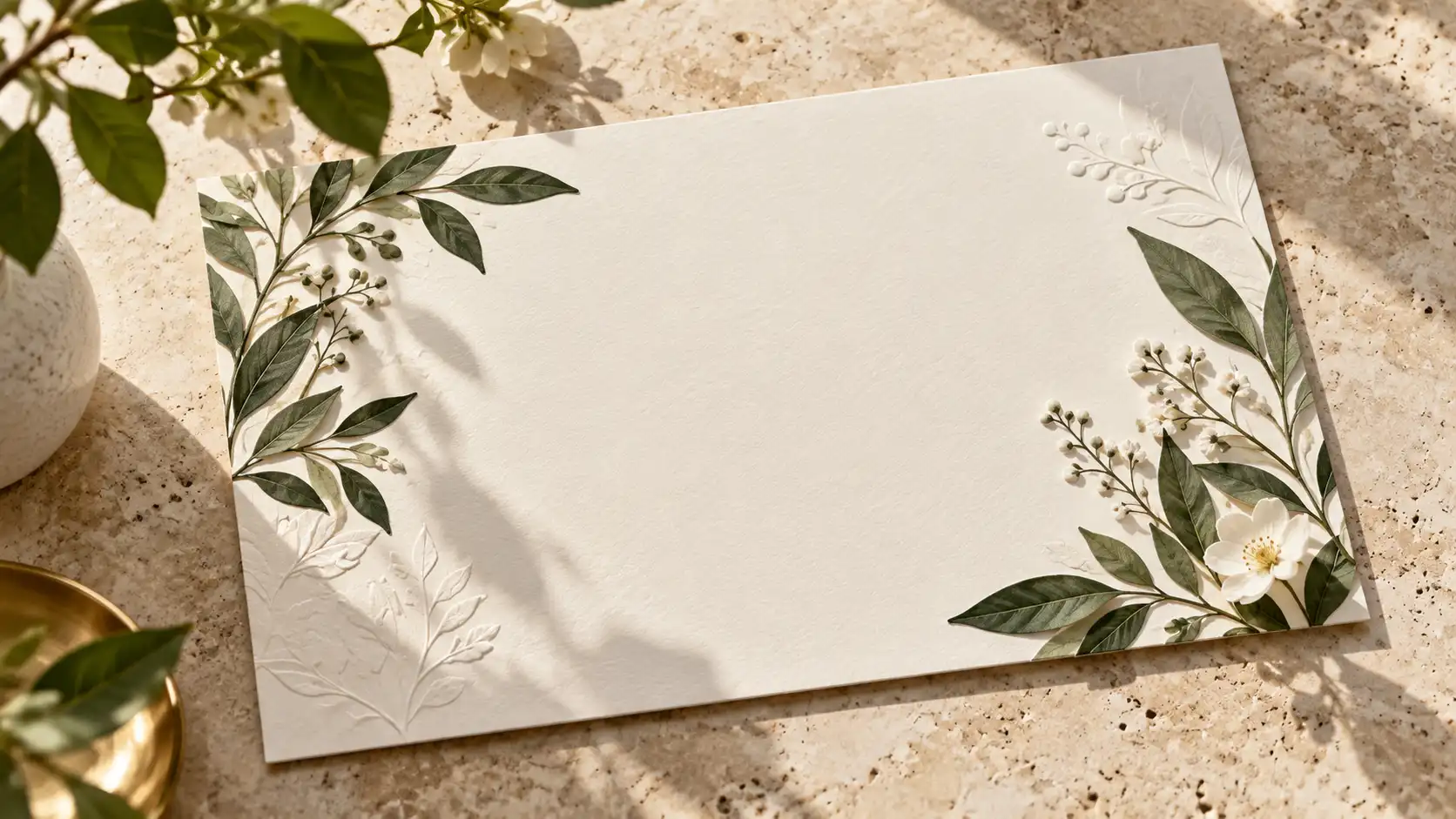 |
Suggested Motion
The paper invitation gently unfolds, botanical silhouettes slowly appear along the edges, and the camera settles on the completed invitation.
Best for: Brand events, art exhibitions, opening announcements, seasonal campaigns, and online launches.
Watch out: Important information such as dates, addresses, and contact details should be added as accurate, editable text rather than relying entirely on generated typography.
How Many Videos Can You Really Create From One Image?
After trying these experiments, you may notice something:
Not every image needs an elaborate transformation.
If you're simply sharing something with friends, subtle animation may be enough.
If you're working with commercial assets, you can explore several variations of the same original image.
Here's a simple way to decide.
| Original Image | Suggested Transformation | Suitable Goal |
|---|---|---|
| Everyday photograph | Add subtle natural movement | Personal content |
| Finished visual design | Preserve the composition and animate selected elements | Brand communication |
| Sketch or concept art | Show the transition from concept to finished work | Design presentation |
| Character illustration | Develop recognizable actions and personality | Long-term content |
| Artwork with a distinctive visual style | Animate selected elements | Creative expression |
Useful AI content repurposing isn't about randomly adding effects to every image.
It's about finding new purposes for visuals you've already created.
How Can You Animate Photos Without Ruining the Originals?
Before turning a static image into video, there are three things worth remembering.
1. Protect what makes the original image valuable.
A product image should preserve the product. A mascot should remain recognizable. An interior design image should maintain its architectural layout.
2. Don't make everything move at once.
When the subject, background, lighting, and camera all change dramatically, controlling the result becomes much harder.
Start with one primary movement. Add smaller details only when they help the scene.
3. Don't expect your first generation to be the final version.
Generate a short test clip first. Check whether the subject, motion, and camera behave as expected before producing additional shots.
Wann's image-to-video interface provides Single Image, Multiple Images, and Frames Image input options. You can upload your existing materials, choose an available video model, and describe the motion you want. Supported features and settings depend on the selected model.
FAQ: AI Video Ideas From Photos
Can I really create multiple different videos from one photo?
Yes. You can experiment with different motion and camera instructions while using the same reference image.
For example, one architectural photograph could become a lighting transition, an atmospheric scene, or a gentle camera push.
Do I need to use Image to Image before animating an old photo?
Not necessarily.
If your original photo already has suitable composition, subject clarity, and image quality, you can use it directly for image-to-video.
Consider Image to Image when you want to adjust its visual style, background, or materials first.
Are all images suitable for complex animation?
No. Characters, intricate products, and detailed design work require additional attention to visual consistency.
Sometimes, a small amount of motion is more effective than a dramatic transformation.
Why does the text on my poster become distorted during video generation?
Video models may redraw the text as the image changes.
For important brand names, event dates, and other information, consider animating a text-free background and adding the typography afterward.
Final Thoughts: Your Image Library Might Be More Valuable Than You Think
The next time you're organizing your computer, try reopening those images you haven't used in months.
An old poster could become a new campaign video.
A design sketch could tell the story of an entire creative process.
A brand mascot could become a recurring animated character.
Even a quiet painting could develop its own little moving world.
You don't always need to create new assets. Sometimes, you just need to give existing ones a new way to tell their story.
That's the idea behind these seven AI video ideas from photos.
Pick an image you already have, open Wann AI Image to Video, and discover what else it could become.



'%20fill-opacity='.4'/%3e%3cpath%20d='M29.07%2012c.982%200%201.473%200%201.88.194.35.166.667.457.863.79.23.389.27.859.354%201.797.27%203.072.518%207.922-.297%2010.472-1.03%203.22-5.8%206.507-8.257%208.023-.477.295-.715.441-1.038.515a2.227%202.227%200%200%201-.868.006c-.324-.07-.565-.215-1.046-.504-2.512-1.51-7.435-4.811-8.478-8.04-.888-2.752-.622-7.52-.327-10.524.09-.914.135-1.372.365-1.757.196-.327.516-.617.86-.78.407-.193.89-.192%201.853-.192H29.07z'%20fill='var(--fill-0,%20%23FD7F11)'/%3e%3cpath%20d='M26.337%2017.75a.854.854%200%200%201%201.212-.11.872.872%200%200%201%20.11%201.218l-6.088%207.392a.855.855%200%200%201-1.2.122l-.07-.063-3.906-3.944a.871.871%200%200%201%200-1.222.853.853%200%200%201%201.216%200l3.24%203.268%205.486-6.66z'%20fill='var(--fill-0,%20white)'/%3e%3c/svg%3e)