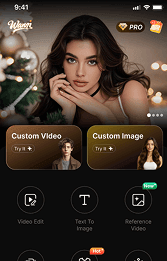





AIはクリエイターの働き方を変えています。ライター、YouTuber、映画制作者、ゲーム開発者、オンラインストアを運営している人など、より速くスマートに制作したいなら、この新しい無料のAIツール「Wann.ai」をチェックしない手はありません。
現在、多くの人がAIツールの同じ問題に直面しています。つまり、高すぎる、複雑すぎる、あるいは期待した結果を出せないというものです。
そこで登場するのがWann.aiです。
Wannは、高品質なAI生成画像や動画を作成したいあらゆる人のために作られた、まったく新しいオールインワンAIクリエイティブプラットフォームです。テキストから素晴らしいビジュアルに変換したり、シネマティックなAI動画を作成したり、静止画にアニメーションで命を吹き込んだりしたい場合でも、Wann.aiはプロセス全体をシンプルかつ高速にし、無料で簡単に始められるようにします。
このガイドでは、最初からWann.aiでより良い結果を得る方法をご紹介します。すでに米国のクリエイターたちの間で注目を集め始めています。
😯Wann.aiとは?
Wann.aiは、以下の機能を提供するAI搭載の作成ツールです:
・無料のテキストから画像への生成
・テキストから動画への作成
・画像から動画へのアニメーション化
・高速なAIレンダリング
・初心者向けのワークフロー
・高品質な視覚出力
複数のAIアプリを行き来する必要はなく、Wann.aiはクリエイターのために画像と動画の両方を生成する単一のプラットフォームを提供します。
これは特に以下の人にとって有用です:
・ブロガー
・TikTokクリエイター
・YouTuber
・デジタルマーケター
・ECブランド
・デザイナー
・小規模事業者
☝️なぜほとんどのAIクリエイターが不良結果を得るのか?
Wann.aiを効果的に使用する前に、AIツールで人々が犯す最大のミスについて説明しましょう。
彼らは弱いプロンプトから優れた出力を期待しています。
AIは強力ですが、それでもあなたが与える指示に大きく依存しています。プロンプトが曖昧だったり、混乱を招いたり、不要な詳細で溢れていたりすると、結果は画一的なものになります。
例を見てみましょう。
❌️弱いプロンプト
「クールな動画を作成して。」
✅️より良いプロンプト
「夕暮れ時の未来的なニューヨーク市のシネマティックなドローンスタイルの動画を作成。濡れた街路にネオンの反射があり、超リアルな4K画質。」
その差は歴然としています。
Wann.aiは多くの従来のAIツールよりも自然言語を理解するように設計されていますが、プロンプトの構造を学ぶことで、コンテンツの品質を劇的に向上させることができます。
👍Wann.aiでより良い結果を得るには?
プロンプトは具体的に指定する
視覚的な詳細をより多く提供すればするほど、Wann.ai はあなたのビジョンを正確に理解できます。
以下のような詳細を含めてください:
・照明
・カメラアングル
・アートスタイル
・ムード(雰囲気)
・カラーパレット
・モーションタイプ
・環境設定
テキストから画像への生成用プロンプト例
ロサンゼルスのミニマリストなコーヒーショップ、暖かい朝日の光、シネマティックな写真、浅い被写界深度、リアルなスタイル。

テキストから動画への生成用プロンプト例
ゴールデンアワーに黒い火山岩に打ち寄せる波のスローモーションショット、シネマティックなフィルムルック。
具体的なプロンプトは、視覚的な一貫性を高め、よりプロフェッショナルな出力結果を生み出します。
2. まずはシンプルに、その後改善する
多くの初心者は、1つのプロンプトで完璧な傑作を作り出そうとします。
代わりに:
1. ベースとなるバージョンを生成する
2. 出力結果を分析する
3. 改善点を加える
4. 再生成する
この反復的なワークフローが、プロフェッショナルなAIクリエイターの作業方法です。
Wannの高速生成速度により、実験がはるかに容易になります。
3. ソーシャルメディアコンテンツには画像から動画への変換を活用する
Wannの最も強力な機能の一つは 画像から動画へのAI変換 です。
これにより、静止画をアニメーションシーンに変換できます。
例えば:
・人物をレッドカーペット上のモデルに変身させる
・AIポートレートをアニメーション化する
・風景に動きを加える
・TikTok向けのクリップを作成する
・YouTube用の短いイントロを生成する
この機能は、ビデオ編集の経験がないクリエイターにとって特に価値があります。
4. ディレクターのように考えよう
最も優れたAI生成動画は、意図的に作られているように感じられます。
ランダムな視覚効果を説明するのではなく、映画作家のようにシーンを描写しましょう。
自分に問いかけてみましょう:
・カメラは何をしているか?
・動きは遅いのか速いのか?
・そのシーンがどのような感情を生み出すべきか?
・雰囲気に合う照明スタイルは何か?
例
以下のような指示ではなく:
「犬が走っている。」
次のように試してみましょう:
雪の降る森の中を走るゴールデンレトリバー、手持ち式のシネマティックなカメラワーク、ドラマチックな冬の照明、感情的な雰囲気。
Wann.ai は、プロンプトにシネマティックな指示を含めると、はるかに良い結果を出します。
5. AIを速度向上のために活用する—創造性だけでなく
多くの人は、AIツールはアーティストのためだけのものだと考えています。
しかしWann.aiは生産性ツールでもあります。
以下のような用途に使用できます:
・ブログの視覚素材を生成
・広告クリエイティブを作成
・サムネイルを制作
・SNS投稿を作成
・ショート動画コンテンツを作成
・マーケティングキャンペーンのプロトタイプを作成
スタートアップや中小企業にとって、これは時間と制作コストの両方を節約できます。
🤜混雑するAI市場でWann.aiが目立つ理由?
現在、オンラインには何百ものAI生成ツールがあります。では、なぜクリエイターたちはWann.aiに注目し始めているのでしょうか?
いくつかの理由をご紹介します。
👉無料アクセス
多くのAIプラットフォームは、高価なサブスクリプションの背後に機能を厳格に制限しています。
Wann.aiは無料生成機能を提供しており、初心者やインディペンデントクリエイターにとって利用しやすいです。
👉オールインワンワークフロー
画像用と動画用に別々のツールを使用する代わりに、Wann.aiは以下を統合します:
・ テキストから画像へ
・ テキストから動画へ
・ 画像から動画へ
これらを一つの streamlined な体験で提供します。
👉初心者向け
編集スキルや技術的な経験は必要ありません。
Wann.aiは、アイデアを入力して作成したいというユーザーのために設計されています。
👉より迅速なコンテンツ制作
現代のクリエイターにはスピードが求められます。
Wann.aiは、ユーザーが数時間ではなく数分でアイデアから公開準備完了のコンテンツへと移行できるよう支援します。
Wann.aiの最適な活用シーン
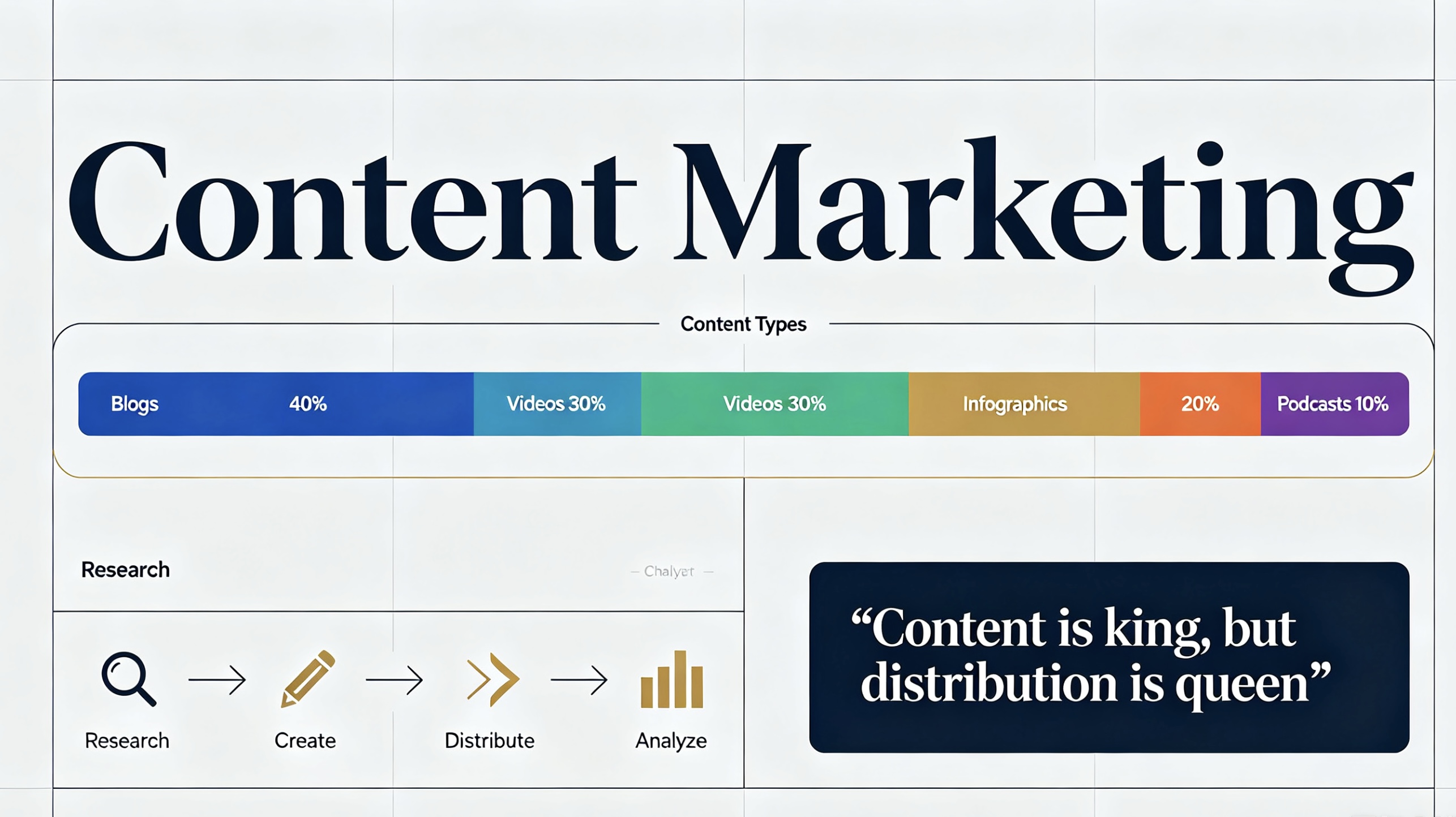
✊コンテンツマーケティング
ブロガーやマーケターは、記事やキャンペーン用のユニークなビジュアルを瞬時に生成できます。
✊TikTok & Reels
ショートフォーム動画クリエイターは、ソーシャルプラットフォーム向けの魅力的なAI動画を迅速に制作できます。

✊Eコマース
オンライン販売者は、商品写真を注目を集める広告アニメーションに変換できます。

✊YouTube
クリエイターは、オープニング映像、Bロール、サムネイル、コンセプトビジュアルを生成できます。

✊クリエイティブストーリーテリング
ライターやインディーズクリエイターは、大規模な制作チームを雇わずにアイデアを視覚的なシーンに変換できます。

✍️ より良いAIプロンプトの書き方ヒント
Wann.ai内で使用できるシンプルなフレームワークをご紹介します。
5つの要素からなるプロンプトの公式
被写体(Subject)
主な焦点は何ですか?
環境(Environment)
どこで起こっていますか?
スタイル(Style)
リアル、アニメ、シネマティック、水彩画など。
照明(Lighting)
ゴールデンアワー、ネオン、柔らかい光、劇的な影など。
カメラワークや動き(Camera or Motion)
クローズアップ、ドローンショット、スローモーション、手持ちカメラなど。
👍 強力なプロンプトの例
夜の東京のサイバーパンクなストリートマーケット、雨に濡れた歩道に反射するネオンサイン、シネマティックな照明、超詳細、スロートラッキングカメラショット。
この構造はAIの出力を常に改善します。
👋まとめ
より高品質なAI生成画像や動画を作成したい場合、最も理解すべき点はこれです:
良い結果は、通常、適切な指示から生まれます。
アイデアの説明が明確であればあるほど、出力される成果物は印象的になります。
朗報なのは、Wann.aiを使えば、多くの既存のAIツールよりもずっと簡単にプロセスを進められることです。
SNS用のコンテンツ制作、ブログの成長促進、オンラインストアの運営、あるいは単にAIクリエイティブを試してみたい場合でも、Wann.aiならアイデアを素早く視覚化できるシンプルな方法を提供します。
正直なところ、それが多くのクリエイターがこのツールに関心を持ち始めている理由なのかもしれません。



'%20fill-opacity='.4'/%3e%3cpath%20d='M29.07%2012c.982%200%201.473%200%201.88.194.35.166.667.457.863.79.23.389.27.859.354%201.797.27%203.072.518%207.922-.297%2010.472-1.03%203.22-5.8%206.507-8.257%208.023-.477.295-.715.441-1.038.515a2.227%202.227%200%200%201-.868.006c-.324-.07-.565-.215-1.046-.504-2.512-1.51-7.435-4.811-8.478-8.04-.888-2.752-.622-7.52-.327-10.524.09-.914.135-1.372.365-1.757.196-.327.516-.617.86-.78.407-.193.89-.192%201.853-.192H29.07z'%20fill='var(--fill-0,%20%23FD7F11)'/%3e%3cpath%20d='M26.337%2017.75a.854.854%200%200%201%201.212-.11.872.872%200%200%201%20.11%201.218l-6.088%207.392a.855.855%200%200%201-1.2.122l-.07-.063-3.906-3.944a.871.871%200%200%201%200-1.222.853.853%200%200%201%201.216%200l3.24%203.268%205.486-6.66z'%20fill='var(--fill-0,%20white)'/%3e%3c/svg%3e)