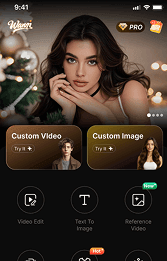



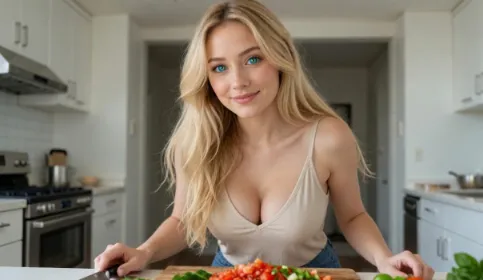

AI image generation tools have made it easier for users to explore customized digital content through text-based instructions. An AI NSFW generator allows users to create AI-generated images by describing characters, styles, and visual concepts through prompts.
However, getting consistent results depends on more than simply entering a few words. Factors such as prompt clarity, image customization options, generation workflow, and tool features can influence the final output.
This guide explains what an AI NSFW generator is, what features to consider when choosing a tool, and how to improve AI-generated image results.
How to Get Better Results from an AI NSFW Generator
Many users experience inconsistent results because the AI model does not receive enough information about the intended image.A more structured approach can improve generation quality.
| Element | Purpose |
|---|---|
| Character details | Defines important visual features |
| Style description | Establishes the artistic direction |
| Composition | Controls image framing and focus |
| Lighting details | Influences atmosphere and appearance |
Instead of adding many unrelated keywords, focus on describing the most important visual elements clearly.
AI NSFW Generator Example Workflow
Step 1: Define the Goal
Start by deciding what type of image you want to create.
Example:
Goal: Create a customized AI character image with a specific visual style.
Step 2: Structure the Prompt
Organize the description into clear sections:
| Section | Example Direction |
|---|---|
| Character | Define the subject and appearance |
| Style | Choose the visual approach |
| Environment | Add supporting details |
| Composition | Describe framing |
Step 3: Refine the Result
After generating an image, identify what needs adjustment:
| Issue | Adjustment |
|---|---|
| Character looks different | Improve character descriptions |
| Style changes | Make visual direction clearer |
| Image lacks focus | Adjust composition details |
The goal is not simply adding more text, but improving how the AI understands the intended result.
Example
1girl, Caucasian, 20 years old, medium close-up in a sun-drenched cozy bedroom, soft white curtains, morning golden light filtering through. **Incredibly lively and expressive sparkling eyes with a playful glint, captivating gaze, flushed cheeks, slightly parted lips, messy blonde bedhead hair**. Wearing a **form-fitting ribbed cotton tank top with a low scoop neck**, snug fit, non-transparent. High-end anime illustration style, soft volumetric lighting, masterpiece.
Improving Results with an AI NSFW Generator
Creating consistent AI-generated images usually requires some adjustment between generations. If the output does not match your expectations, the issue is often related to how the visual information is described rather than the generation process itself.
When refining results, focus on the elements that have the biggest impact:
| Area to Adjust | What to Improve |
|---|---|
| Character details | Keep important features such as appearance, style, and identity consistent |
| Prompt structure | Put the most important visual information first and avoid unrelated descriptions |
| Visual style | Use a clear artistic direction instead of mixing different styles |
| Composition | Describe framing, perspective, and the main focus of the image |
A practical workflow is to make small changes between generations instead of replacing the entire prompt each time. This makes it easier to understand which adjustments improve the final result.
Final Thoughts
An AI NSFW generator provides a flexible way to explore AI-based image creation through text instructions and customization options.
Better results usually come from combining the right tool, clear descriptions, and an organized refinement process.
When choosing an AI image generator, consider factors such as prompt control, customization features, workflow experience, and consistency to find an approach that matches your creative needs.
For users who prefer an online creation workflow, Wann AI Generator is one option to explore when testing AI-generated image creation.


'%20fill-opacity='.4'/%3e%3cpath%20d='M29.07%2012c.982%200%201.473%200%201.88.194.35.166.667.457.863.79.23.389.27.859.354%201.797.27%203.072.518%207.922-.297%2010.472-1.03%203.22-5.8%206.507-8.257%208.023-.477.295-.715.441-1.038.515a2.227%202.227%200%200%201-.868.006c-.324-.07-.565-.215-1.046-.504-2.512-1.51-7.435-4.811-8.478-8.04-.888-2.752-.622-7.52-.327-10.524.09-.914.135-1.372.365-1.757.196-.327.516-.617.86-.78.407-.193.89-.192%201.853-.192H29.07z'%20fill='var(--fill-0,%20%23FD7F11)'/%3e%3cpath%20d='M26.337%2017.75a.854.854%200%200%201%201.212-.11.872.872%200%200%201%20.11%201.218l-6.088%207.392a.855.855%200%200%201-1.2.122l-.07-.063-3.906-3.944a.871.871%200%200%201%200-1.222.853.853%200%200%201%201.216%200l3.24%203.268%205.486-6.66z'%20fill='var(--fill-0,%20white)'/%3e%3c/svg%3e)