


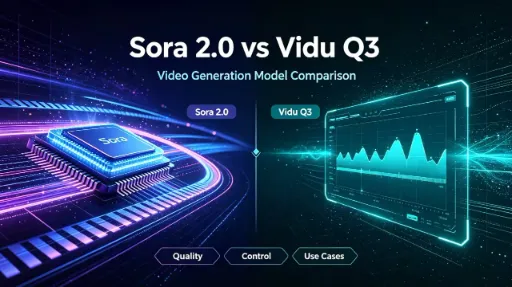

If you’re an AI creator, content marketer, short-film maker or anime artist, you’ve definitely debated two heavyweights: OpenAI’s Sora 2.0 and Vidu Q3. Both turn text and reference images into ready-to-share clips, but they’re built for totally different use cases. I’ve tested both nonstop for weeks, so let’s break down their pros, cons and best audiences in plain, casual language—no confusing tech jargon.

Quick Overview of Each Tool
Sora 2.0 (OpenAI)
Sora 2 is famous for mind-blowing photorealism and world physics simulation, launched as OpenAI’s flagship text-to-video model. Its core superpower is understanding real-world rules: bouncing basketballs, splashing water, human body movement and natural light behave exactly like they do in real life. It nails Hollywood-style cinematic shots, lifelike human performances and complex physical action sequences.
But there’s a catch: access is limited, pricing sits on the higher side, native audio support is partial, and it struggles hard with stylized anime art. Max clip length caps at 20 seconds, with rigid fixed duration options (4s, 8s, 12s, 20s) with zero flexibility in between Vidu Q3.

Vidu Q3
Vidu Q3 is built for fast, low-cost batch content creation—think short dramas, TikTok reels, anime clips and advertising spots. Its biggest wins are full native audio sync, elite anime illustration rendering, strong character consistency across multiple shots and adjustable clip lengths from 1–16 seconds.
It comes with built-in background music, environment sound effects and accurate lip sync for dialogue. You can upload up to 7 reference images to lock character faces, outfits and scene styles. Generation speed is way faster than Sora 2, and the credit-based pricing makes bulk production affordable for solo creators and small teams. The only weakness? Its photorealistic physics can feel slightly CG or artificial compared to Sora 2’s natural real-world simulation.

Head-to-Head Core Feature Breakdown
1. Visual Realism & Physics Simulation
- Sora 2.0 Winner: It’s unbeatable for live-action realism. Objects interact with gravity, collision and light perfectly. If you prompt a missed basketball shot, the ball bounces off the backboard naturally instead of teleporting into the hoop—an issue most AI video tools still have. Complex stunts, gymnastics, ocean waves and reflective surfaces all look organic.
- Vidu Q3: Solid for stylized content, but hyper-realistic physical scenes often carry a slight digital, video-game texture. Great for animated stories, less ideal for hyper-detailed live-action footage.
2. Art Style Performance
- Sora 2.0: Shines with photorealism, dark cinematic film, documentary footage and subtle realistic animation. Anime outputs look flat, washed out and lack consistent line art.
- Vidu Q3 Clear Win: Anime, manga, cartoon and comic-style clips are its specialty. Line art, color grading and character proportions stay consistent across every frame. Perfect for manhwa adaptations, animated shorts and fantasy stylized videos.
3. Native Audio & Lip Sync
- Sora 2.0: Partial audio support only. You get basic ambient sounds, but clean voice sync, custom background music and layered soundscapes require heavy post-production editing. Mouth movements often don’t match dialogue text.
- Vidu Q3 Game-Changer: Full all-in-one audio generation in a single render. It auto-creates matching background music, environmental sounds and precise lip movements for spoken lines. No extra audio software needed—huge time saver for short-form creators making talking character clipszopia.ai.
4. Character & Scene Consistency
- Sora 2.0: Good continuity for single-shot clips, but characters easily change facial features or outfits across multiple cuts. Reference image support is limited, so locking a lead character across scenes takes tons of prompt tweaking.
- Vidu Q3 Strong Point: Multi-reference image upload lets you lock characters, costumes and background designs for entire multi-shot sequences. Even with scene transitions, your protagonist won’t randomly “switch faces”—critical for serialized short dramas and comic reels.
5. Clip Length & Flexibility
- Sora 2.0: Max 20 seconds, only fixed preset durations. Can’t make a custom 6s or 14s clip.
- Vidu Q3: Adjustable length from 1 to 16 seconds. Custom timings fit TikTok, YouTube Shorts and Instagram vertical formats perfectly, with flexible pacing for quick ads or longer story scenes.
6. Speed & Pricing (Creator Budget Talk)
- Sora 2.0: Slow render times—complex cinematic clips can take several minutes. Locked behind ChatGPT Plus/Pro subscription with invite-only access, making it inaccessible for many casual creators. Long-term costs add up fast for daily heavy use.
- Vidu Q3: Generates clips roughly twice as fast, almost no long wait queues. Credit-based pay-as-you-go system with cheap starting rates, free trial credits for new users, and discounted bulk packs for teams producing dozens of videos dailyviduq3.com. Way friendlier for creators on a tight budget.
7. Accessibility & Ease of Use
- Sora 2.0: Invite-only closed beta. New users wait weeks or months for access. It needs super detailed, technical prompts to avoid visual glitches—beginners often get wonky results without practice.
- Vidu Q3: Open web platform, sign up and generate clips instantly. Simple dashboard with clear sliders for motion intensity, art style and audio volume. Zero advanced prompt engineering required for solid outputs.
Pros & Cons Cheat Sheet
Sora 2.0
Pros
- Industry-best real-world physics and photorealistic rendering
- Stunning cinematic camera work, lens depth and natural lighting
- Longest single clip limit (20s)
- Superior detail for live-action commercial and film concepts
Cons
- Invite-only limited access
- Slow rendering speed
- Weak anime/stylized art output
- Partial, low-quality native audio
- Expensive subscription pricing
- Rigid fixed clip durations
Vidu Q3
Pros
- Instant open access, no waitlist
- Elite anime, manga and stylized visuals
- Complete built-in audio + perfect lip sync
- Fast batch rendering, affordable credit pricing
- Customizable clip lengths (1–16s)
- Strong multi-shot character consistency via reference images
- Beginner-friendly simple UI
Cons
- Photorealistic scenes lack natural physical depth (slight CG look)
- Max clip length shorter than Sora 2 (16s vs 20s)
- Complex hyper-real stunts sometimes show minor frame glitches

Who Should Pick Which Tool?
Choose Sora 2.0 If You Are:
- Independent filmmakers creating photorealistic short films, movie trailers
- Commercial ad creators making hyper-lifelike product footage
- Artists focused on realistic nature, sports and physical action scenes
- Creators who don’t mind waitlists, slow renders and higher costs for unmatched live-action quality
Choose Vidu Q3 If You Are:
- Anime/manga content creators, manhwa short drama producers
- TikTok, Reels and YouTube Shorts creators churning out daily clips
- Small marketing teams needing bulk low-cost video ads
- Creators who want finished audio synced videos without post-production
- Beginners looking for an accessible, no-wait AI video generator
- Storytellers making multi-scene serial content with fixed main characters
Final Verdict
There’s no universal “better” tool—this all comes down to your content style and workflow needs.
If photorealism, physical accuracy and Hollywood cinematic quality are your top priority, and budget/access limits don’t stop you: go Sora 2.0.
If you make anime, short vertical videos, serialized dramas or batch commercial clips, and you want fast renders, built-in audio and affordable pricing: Vidu Q3 is the clear daily driver.
Lots of creators even use both: Vidu Q3 for quick stylized social content, and Sora 2.0 when they need hyper-realistic high-end footage for premium projects.



'%20fill-opacity='.4'/%3e%3cpath%20d='M29.07%2012c.982%200%201.473%200%201.88.194.35.166.667.457.863.79.23.389.27.859.354%201.797.27%203.072.518%207.922-.297%2010.472-1.03%203.22-5.8%206.507-8.257%208.023-.477.295-.715.441-1.038.515a2.227%202.227%200%200%201-.868.006c-.324-.07-.565-.215-1.046-.504-2.512-1.51-7.435-4.811-8.478-8.04-.888-2.752-.622-7.52-.327-10.524.09-.914.135-1.372.365-1.757.196-.327.516-.617.86-.78.407-.193.89-.192%201.853-.192H29.07z'%20fill='var(--fill-0,%20%23FD7F11)'/%3e%3cpath%20d='M26.337%2017.75a.854.854%200%200%201%201.212-.11.872.872%200%200%201%20.11%201.218l-6.088%207.392a.855.855%200%200%201-1.2.122l-.07-.063-3.906-3.944a.871.871%200%200%201%200-1.222.853.853%200%200%201%201.216%200l3.24%203.268%205.486-6.66z'%20fill='var(--fill-0,%20white)'/%3e%3c/svg%3e)