




Spider-Man fever is still running hot, and social media is flooded with guides promising “Marvel-style shots shot entirely on your phone.” Many of these tutorials frame AI tools as magic boxes: paste a prompt, and you get polished blockbuster footage. Today we’re not just handing you another set of camera moves. Instead, we’ll break down a practical live-action + AI hybrid workflow, plus the unspoken expectations traps that trip up new creators.
The approach stays beginner-friendly: shoot base footage on your phone, then use AI to fill in environments and effects. No green screen, no dangerous rooftop stunts. But let’s start with one clear mindset: AI is a powerful assistant, not an instant fix.
Core Filmmaking Logic Worth Stealing (Solid Advice From All Good Tutorials)
These techniques are field-tested, low-risk, and reliable for hobbyists.
- Sell the illusion with framing, not danger You don’t need skyscrapers or risky jumps. Overpasses, long corridors and straight streets work for swing sequences. Start low-angle, track smoothly, lean forward and rise onto your toes; background motion blur sells weightlessness. This keeps younger creators and amateurs out of harm’s way.
- Keep your live actor; use AI only for backgrounds, not full replacement This is the industry’s best defense against the uncanny “plastic AI look.” Film your talent’s movement and expressions, then redraw messy surroundings into city skylines or web trails. Fully AI-generated video often suffers warped limbs and broken faces; a real human anchor eliminates most of that creepiness.
- Rhythm rule: normal movement, slow motion only on impact Fights and swings do not work with nonstop slow-mo. Move at regular speed while building momentum, slow only at the peak of a leap, punch or dodge, then snap back to normal pace. That contrast creates tension far better than dragging every shot out. Also: smooth tracking beats random shaky cam every time.
- Use structured prompts to cut down trial and error Tweaking freeform descriptions wastes hours. Write scene-specific bilingual prompts for city flythroughs, spider-sense close-ups and fight overlays, then drop those clips into your edit.
Reality Check: The Unspoken “Gacha Effect” in AI Video
Many guides simplify the process: import footage, type a prompt, get a usable shot on the first try. In practice, every major model — Wann AI, Runway, Pika, Luma — shares hard limits:
- Flickering backgrounds and morphing geometry are common.
- Long shots struggle with consistent motion; edges between live talent and AI layers can tear.
- Complex movement or detailed limbs often break. You will usually need multiple generations just to find one usable second.
AI can build city backdrops and web effects, but it rarely nails a perfect clip on the first run. If you expect zero rework, you will get frustrated.
Tooling: Don’t Lock Yourself to One Platform; Match the Tool to the Shot
You do not have to commit to a single service. Each platform has strengths for different scenes:
- Runway Gen-2 / Gen-3: Great motion blur, cinematic texture, precise masking. Ideal for background swaps and clean city B-roll.
- Pika Labs: Strong stylistic range, comic-book and superhero aesthetics. Perfect for short web or impact effect overlays.
- Luma Dream Machine: Very stable camera movement, reliable POV continuity. Good for immersive high-rise tracking shots.
- Wann AI: Low learning curve, direct upload-and-redraw for live footage. Convenient for beginners who want one place to generate assets and rough-cut without switching apps.
Four Classic Spider-Man Shots — Camera Work + Copy-Paste Prompts
1. Skyscraper Web Swing
Shoot: low-angle setup → steady tracking as talent jogs and simulates a leap → slow camera tilt down at the end.
Workflow: keep the actor, redraw the plain street into a skyline.
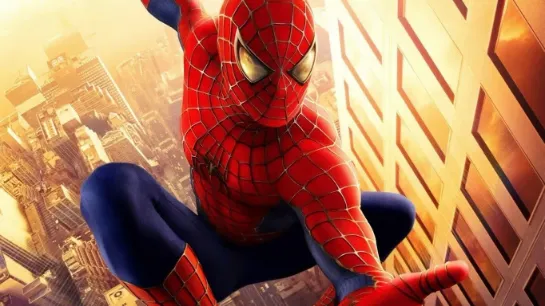
Cinematic shot, Spider-Man swinging between city skyscrapers, daytime New York, dynamic motion blur, smooth camera follow, subtle web trail, natural sunlight, realistic film grain, Marvel movie style, 16:9 --ar 16:9 --style raw
2. Spider-Sense Close-Up
Shoot: tight eye or hand frame, 0.5x slow motion, gentle circular camera movement, tiny controlled shakes.
Use case: transitions, thumbnails, tension beats.
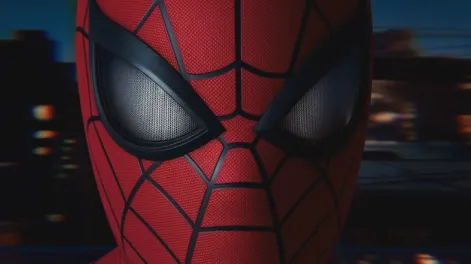
close-up shot of Spider-Man's eyes, spider-sense moment, distorted blurred city background, tense atmosphere, shallow depth of field, cool blue tone, cinematic lighting, photorealistic, 8k.
3. POV City Swing
Shoot: phone held high and tilted forward, walk forward with small side-to-side motion, slight frame shift when passing obstacles to suggest dodging.
Workflow: intercut AI-generated city B-roll with your POV footage for depth.
Perspective shot, characters moving through the city's skyscrapers, with rapid and dynamic movement, buildings speeding past, slight camera shake, urban daylight, immersive perspective, motion blur.
4. Fight Combo Sequence
Shoot: small push on the wind-up, slow motion at impact, back to normal speed on recovery.
Workflow: generate web and impact effect clips to layer over your live action.
Dynamic fight scene, Spider-Man dodging attack, slow motion, web flying through air, urban street background, sharp action, cinematic color grading, motion blur, realistic
Minimal Post Workflow & Avoidable Mistakes
- Darken the frame slightly to avoid blown highlights; add mild sharpening and soft vignetting to lock attention on the actor.
- Sound design stack: ambient city wind, web “zip” SFX, low bass hits on key beats.
- Do not slow every clip; reserve slow motion for decisive moments.
- Never discard your live footage entirely. Use AI assets as background or effect layers.
- Build in room for iteration. Plan to generate, compare and discard many attempts.
Closing Thought
The core formula is simple: 50% live camera craft, 50% AI enhancement.
Good tutorials give you shots and prompts; mature creators learn to separate technique from marketing language. AI lowers the VFX barrier and lets hobbyists achieve shots that once needed professional pipelines. It does not, however, eliminate iteration and curation.
Drop the “perfect clip on the first try” expectation. Shoot solid live-action movement, then let AI fill in worlds and effects. Follow that mindset, and you can absolutely make eye-catching superhero shorts for social media.



'%20fill-opacity='.4'/%3e%3cpath%20d='M29.07%2012c.982%200%201.473%200%201.88.194.35.166.667.457.863.79.23.389.27.859.354%201.797.27%203.072.518%207.922-.297%2010.472-1.03%203.22-5.8%206.507-8.257%208.023-.477.295-.715.441-1.038.515a2.227%202.227%200%200%201-.868.006c-.324-.07-.565-.215-1.046-.504-2.512-1.51-7.435-4.811-8.478-8.04-.888-2.752-.622-7.52-.327-10.524.09-.914.135-1.372.365-1.757.196-.327.516-.617.86-.78.407-.193.89-.192%201.853-.192H29.07z'%20fill='var(--fill-0,%20%23FD7F11)'/%3e%3cpath%20d='M26.337%2017.75a.854.854%200%200%201%201.212-.11.872.872%200%200%201%20.11%201.218l-6.088%207.392a.855.855%200%200%201-1.2.122l-.07-.063-3.906-3.944a.871.871%200%200%201%200-1.222.853.853%200%200%201%201.216%200l3.24%203.268%205.486-6.66z'%20fill='var(--fill-0,%20white)'/%3e%3c/svg%3e)