



Hey guys, welcome back!
If you've been hanging around the AI space lately, you already know that models like Nano Banana 2, Kling, and Seedance 2.0 are absolutely crushing it in the video world. But for our day-to-day content grind, text-to-image is still the ultimate workhorse. Lately, while I've been busy building out automated content workflows and hooking everything up through OpenClaw, I took a deep dive into Wann.ai's text-to-image feature. Honestly? The output quality completely blew my mind.
Today, I'm sharing my ultimate playbook for Wann.ai prompts. Whether you're running a niche blog, building out site visuals, or just making cool art for your friends, this guide will help you pull off those "masterpiece" level shots without breaking a sweat.
😯Why Wann.ai?
There are a million AI generators out there right now, but Wann.ai is actually good at listening. It doesn't just guess what you want; it nails the exact vibe, lighting, and texture you ask for. Plus, it's incredibly stable. If you're like me and need to pump out high-quality visuals constantly, it's a rock-solid engine to have in your toolkit.
👏4 "Cheat Code" Visual Styles to Save Your Generations
While browsing the top digital art communities recently, I noticed the pros lean heavily on a few specific visual styles. Drop these into your prompt library, and watch your image quality instantly level up:
- Cinematic Lighting: Instantly boosts the storytelling and depth of field, rescuing you from flat, boring lighting.
- Hyper-realistic / Photorealistic: Chasing that ultimate physical realism that looks almost identical to a real photograph.
- Analog Film: Brings that built-in retro grain and subtle color shifting. The aesthetic vibe is off the charts.
- Fluid Abstract: Super modern and sleek, perfect for high-end web backgrounds or brand visuals.
😍The Master Prompt Formula: Zero Fluff, 100% Accuracy
Please don't just throw a few dry words at the AI! If you want jaw-dropping results, memorize this high-score formula:
Subject + Environment + Lighting/Mood + Style/Medium + Camera Specs
Let's look at 5 plug-and-play examples (English prompts always work best, so feel free to copy and paste these directly):
Case 1: The Emotional Private Portrait
I actually love using first-person prompts to create customized portraits for my love and my closest friends. Wann.ai handles these emotionally driven, intimate prompts beautifully. The skin texture and the catchlights in the eyes look wildly real.
A hyper-realistic, cinematic close-up portrait of my love, standing in a sunlit Parisian cafe, soft morning light illuminating the face, analog film style, Kodak Portra 400, 85mm lens, shallow depth of field, highly detailed.
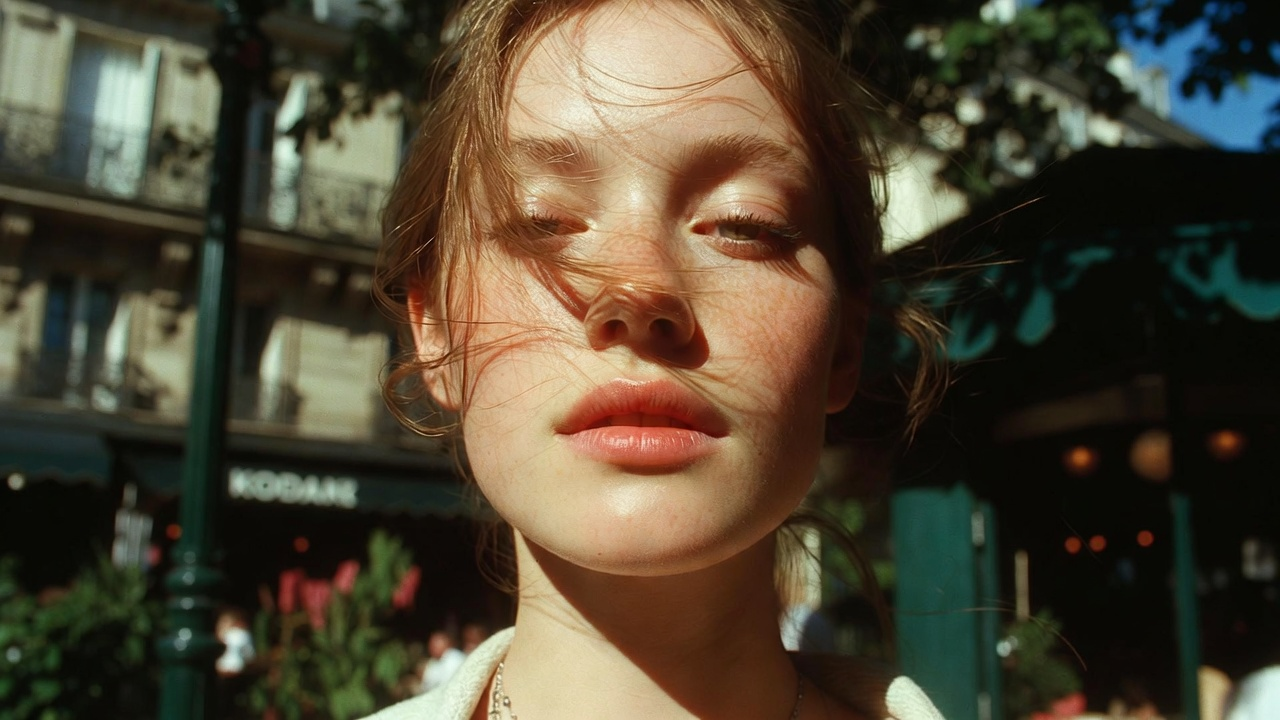
💡 Pro Tip: Adding a specific film stock (like Kodak Portra 400) or a focal length (85mm) instantly strips away that "plastic AI look" and gives the image real photographic breathing room.
Case 2: Minimalist Product Photography
Running a beauty, skincare, or lifestyle site? You need this clean, restrained, high-end look to elevate your brand vibe.
A minimalist matte skincare bottle placed on a rough natural stone pedestal, calm water ripples around the base, natural studio lighting, soft pastel color palette, macro photography, elegant composition, minimalist aesthetic.
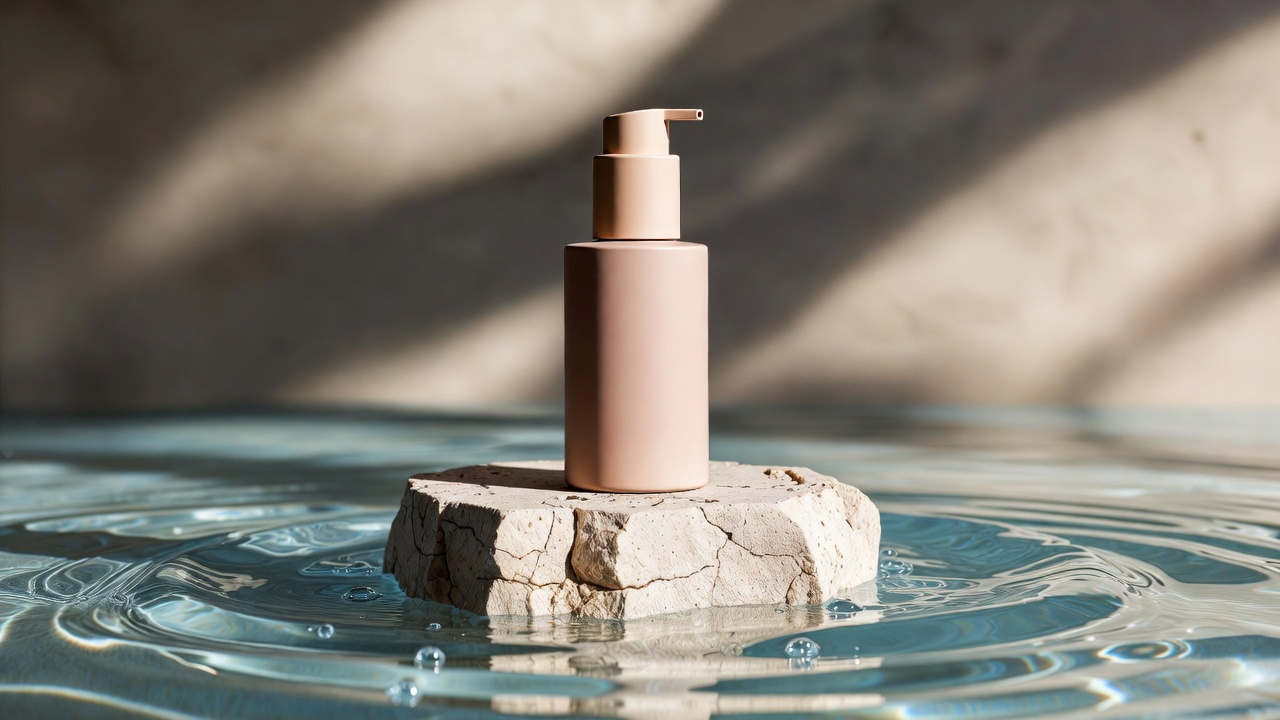
💡 Pro Tip: Material contrast is everything here (like a matte bottle against rough stone). Adding "minimalist aesthetic" tells the AI to automatically filter out any messy, distracting elements.
Case 3: High-Fashion Editorial
Sharing outfit inspiration or need a high-tension hero image? This texture looks like it was ripped straight out of Vogue and absolutely commands attention.
A high-fashion editorial shot of a stylish woman in a flowing white silk dress walking down a sun-drenched Mediterranean alley, dynamic movement, golden hour lighting, shot on 35mm film, sharp focus, elegant and cinematic.
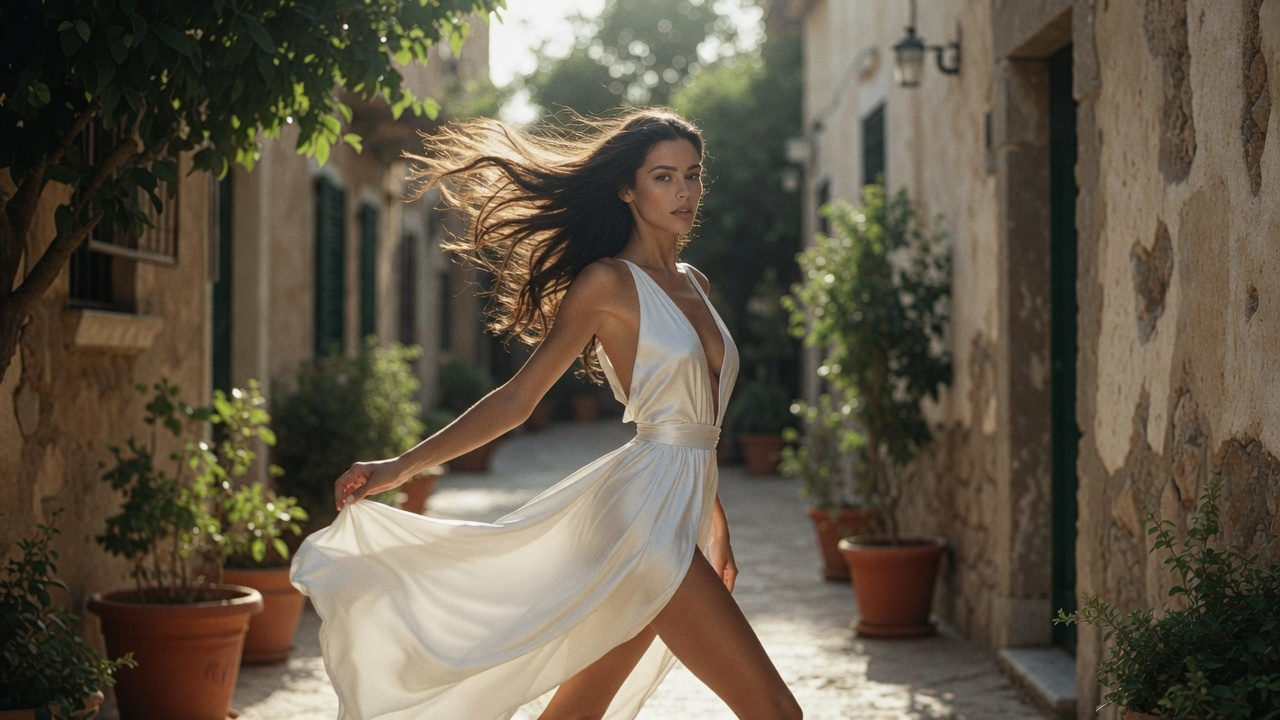
💡 Pro Tip: Emphasizing "dynamic movement" and "flowing" makes the fabric textures look incredibly alive instead of stiff.
Case 4: The Ultimate Tech Blog Illustration
If you write deep-dive tech articles or need to explain automated workflows, these 3D isometric illustrations aren't just premium-looking—they make complex concepts feel approachable and fun.
A 3D isometric illustration of a futuristic clean workspace, featuring glowing holographic screens, a mechanical keyboard, floating data icons, soft pastel gradient background, clay render style, minimalist, C4D.

💡 Pro Tip: "Isometric illustration" and "clay render" are the golden combo for nailing this modern tech blog aesthetic.
Case 5: Mouth-Watering Food Macro
Food is an eternal traffic magnet. Use this prompt, and you can practically smell the aroma through the screen.
Macro photography of a freshly baked artisanal sourdough bread sliced open, steaming hot, resting on a rustic wooden table, dark moody lighting, flour dust floating in the air, cinematic food styling, incredibly detailed.
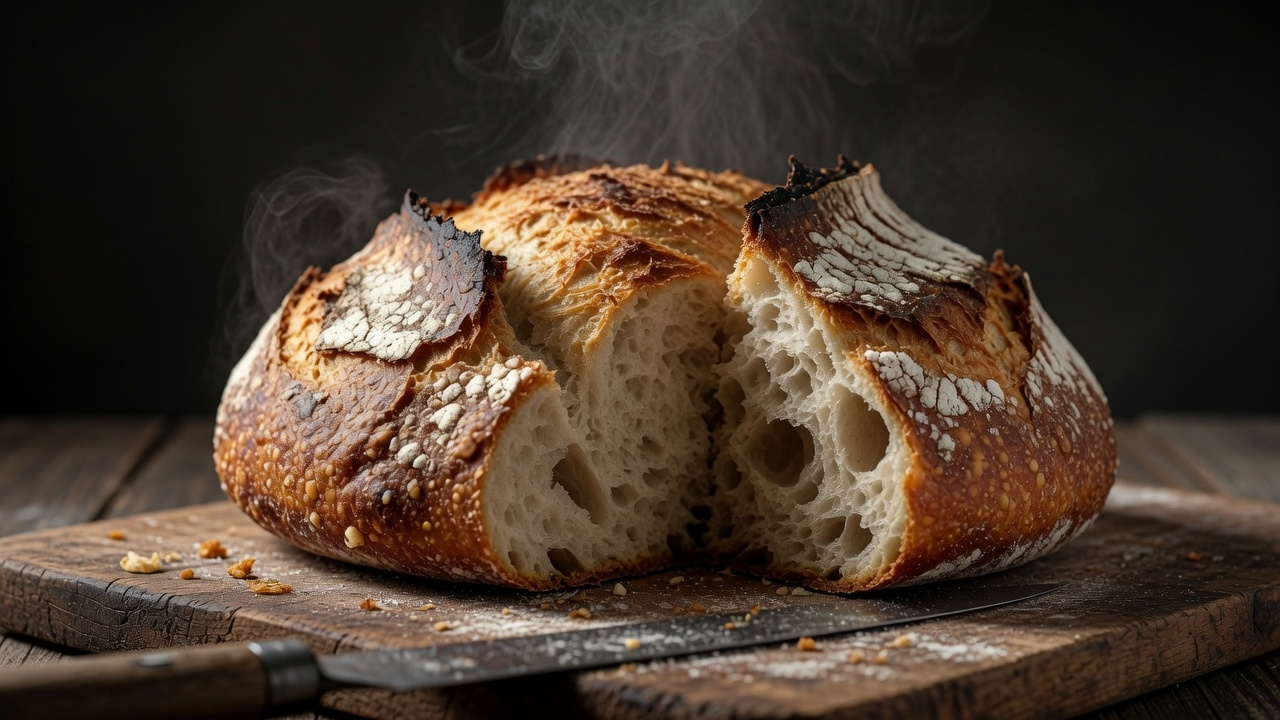
💡 Pro Tip: Action-detail words like "steaming hot" and "flour dust floating" instantly wake up the senses.
❤️Your Turn!
Writing prompts is basically just building chemistry with the AI. Wann.ai gives us a seriously powerful canvas—as long as your instructions are clear, it will turn your imagination into reality.
Grab these prompts, swap out the subjects and styles, and don't be afraid to make mistakes. Just go crazy experimenting! If you generate something amazing or stumble upon a secret god-tier keyword, let me know in the comments!
Happy creating! 🚀


'%20fill-opacity='.4'/%3e%3cpath%20d='M29.07%2012c.982%200%201.473%200%201.88.194.35.166.667.457.863.79.23.389.27.859.354%201.797.27%203.072.518%207.922-.297%2010.472-1.03%203.22-5.8%206.507-8.257%208.023-.477.295-.715.441-1.038.515a2.227%202.227%200%200%201-.868.006c-.324-.07-.565-.215-1.046-.504-2.512-1.51-7.435-4.811-8.478-8.04-.888-2.752-.622-7.52-.327-10.524.09-.914.135-1.372.365-1.757.196-.327.516-.617.86-.78.407-.193.89-.192%201.853-.192H29.07z'%20fill='var(--fill-0,%20%23FD7F11)'/%3e%3cpath%20d='M26.337%2017.75a.854.854%200%200%201%201.212-.11.872.872%200%200%201%20.11%201.218l-6.088%207.392a.855.855%200%200%201-1.2.122l-.07-.063-3.906-3.944a.871.871%200%200%201%200-1.222.853.853%200%200%201%201.216%200l3.24%203.268%205.486-6.66z'%20fill='var(--fill-0,%20white)'/%3e%3c/svg%3e)