



Most AI video generators share common, frustrating flaws: ultra-short clip durations, facial distortion, inconsistent character appearances during camera shifts, and unnatural physical movements. Many popular tools prioritize artistic, experimental styles but struggle to produce clean, polished footage suitable for commercial use and coherent storytelling.
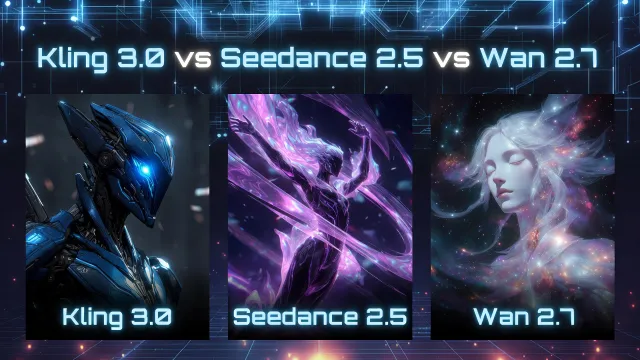
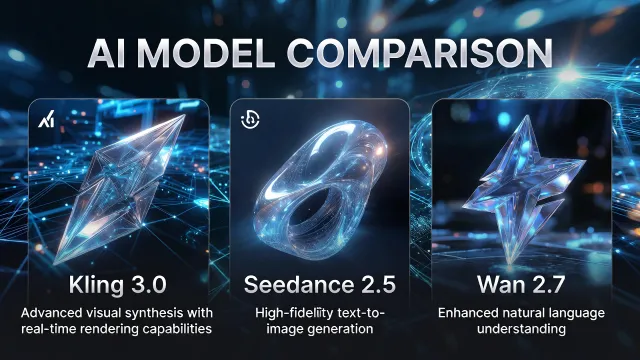
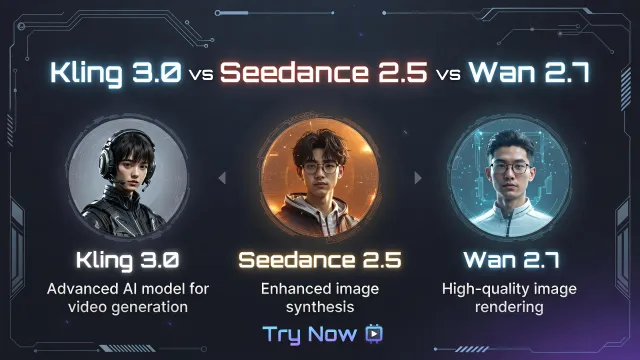
After extensive hands-on testing of top-tier AI video tools, these three models stand out for fixing most of these everyday issues. Critically, each model boasts entirely unique core strengths, tailored for different creative and technical workflows:
• Kling 3.0: A closed, paid tool that’s my go-to for real human footage, ultra-accurate multi-language lip sync, buttery smooth high-speed motion clips.
• Seedance 2.5: A premium closed tool designed specifically for long-form cinematic storytelling. It delivers rock-solid character consistency and true movie-level visual quality that’s hard to beat.
• Wan 2.7: The only fully open-source, free-to-customize option out of the three. It’s perfect for local offline use, custom model tweaks, and bulk video generation from hand-drawn storyboards.
No single model is universally perfect for every scenario. Rigorous testing confirms the optimal choice depends entirely on your project type: casual social media content, professional brand commercials, film previsualization, or custom AI development work.
🍀Quick Specs Overview (2026)
| Comparison Item | Kling 3.0 (Kuaishou) | Seedance 2.5 (ByteDance) | Wan 2.7 (Alibaba) |
|---|---|---|---|
| Developer | Kuaishou | ByteDance | Alibaba Tongyi Lab |
| Open Source | No (Web & API only) | No (Enterprise-only API & Web) | Yes (Full local deployment) |
| Max Clip Length | 15 seconds per clip | 30 seconds (one full continuous clip) | 15 seconds per clip |
| Resolution & FPS | Native 4K / 60fps (super smooth) | Native 4K / 24fps (movie standard) | Native 1080P, upgradable to 4K / 30fps |
| Audio & Lip Sync | Perfect multi-language lip sync, great for talking people | Great background/movie sound, bad talking lip sync | Basic sound only, not good for human voice |
| Reference Features | Single image reference (photo to video) | Up to 50 references (photos, videos, 3D models) | 9-grid storyboard reference, control start/end frames |
| Video Editing Tools | No partial edits, need full re-render | Fix small parts of the video without redoing everything | No built-in editing, needs post-production fixes |
| Global Access | Easy, stable access worldwide | Strict review, mostly for business users | 100% local use, no internet limits |
🌸Simple In-Depth Breakdown
1. Video Quality & Realism
Kling 3.0: Best for Realistic Short Commercial Videos
Kling 3.0 is built for real-life content. It makes clean, natural-looking videos with realistic skin, fabric, water, and movement. Fast-moving scenes and human body motions rarely look weird or distorted.
Pros: Super natural human faces and skin. 60fps ultra-smooth footage is perfect for slow-motion shots. Ideal for influencer content, lifestyle clips, and real-person ads.
Cons: Not great for fantasy, abstract, or super artistic styles. If you switch camera angles many times in one clip, the character’s face or look might slightly change.
Seedance 2.5: Best for Movie-Style Story Videos
Seedance 2.5 makes the most cinematic footage of the three. It creates beautiful depth, soft lighting, and moody atmospheres like real films. It also works great for building shots, space tours, and pre-making film scenes.
Pros: The only model that makes smooth 30-second long clips without stitching multiple videos. It locks characters, outfits, and brand logos perfectly—no weird changes throughout the whole scene.
Cons: More expensive to use. Strict content rules mean more failed renders. Fixed 24fps speed can’t do smooth slow-motion shots.
Wan 2.7: Best Free Open-Source Clean Footage
Wan 2.7 no longer has the fake plastic CG look of old open-source AI video tools. It understands real-world scenes, buildings, and everyday objects very well.
Pros: Completely free to download and run on your own computer. The 9-grid storyboard tool lets you turn hand-drawn sketches into videos in bulk. Fully customizable for developers.
Cons: Only 1080P native quality (you need extra tools for 4K). Fingers and tiny details sometimes look off. Not good for anime or artistic creative videos.
2. Character Consistency (No More Weird Face Changes)
Nothing ruins an AI video faster than a character’s face changing mid-scene. Here’s how they rank:
Seedance 2.5: Undefeated for long videos. Characters stay identical for the full 30 seconds, even with different camera angles. Perfect for story-driven clips with fixed characters.
Kling 3.0: Flawless for short 10-second clips. Faces and looks stay consistent. Only has minor issues with big camera movements in longer 15-second clips.
Wan 2.7: Works for fixed, close-up shots. But if you change camera angles a lot, characters will often look different or distorted.
3. Audio Quality & Talking Lip Sync
Kling 3.0: The clear winner for talking videos. It matches mouth movements perfectly to English and other languages. Best for talking-head content, voiceovers, and spokesperson ads.
Seedance 2.5: Makes amazing movie background sounds and music. But mouth movements don’t match dialogue well—avoid for talking content.
Wan 2.7: Only basic background sound. Human voices sound flat, and lip sync is inaccurate. Not recommended for any talking scenes.
4. Cost & Ease of Use (For Regular Global Users)
Kling 3.0: Best value for most creators. Has free daily uses and cheap pay-as-you-go pricing. Easy to access worldwide with stable website and API support. Great for testing ideas and making lots of content fast.
Seedance 2.5: Premium high-end tool. Expensive per render, only available for business accounts, and has strict content checks. Not for quick tests or bulk work—only for high-quality final videos.
Wan 2.7: Zero cost after setup. No fees, no content censorship. But it requires a powerful computer/GPU and basic tech skills to install and run. Only ideal for developers and technical teams.
5. Clear Weaknesses for Each Model
• Kling 3.0: Max 15-second clips (needs splicing for long videos), limited artistic styles
• Seedance 2.5: Pricey, strict rules, slow for quick trial-and-error work
• Wan 2.7: No native 4K, unstable long-character shots, hard technical setup
💫Which One Should You Choose? (Simple Cheat Sheet)
Pick Kling 3.0 if you:
- Make social media shorts, influencer videos, or simple lifestyle ads
- Need accurate lip sync for English or multi-language talking content
- Want smooth 60fps footage and slow-motion effects
- Need cheap, fast, bulk video creation
Pick Seedance 2.5 if you:
- Make high-end brand ads, film trailers, or cinematic story content
- Want smooth 20–30 second long videos without cutting/stitiching clips
- Need fixed characters, logos, or props that never change mid-scene
- Want to fix small video details without re-rendering the whole clip
Pick Wan 2.7 if you:
- Are a developer or have tech skills for local AI model setup
- Want to customize or tweak AI video models for your own projects
- Turn hand-drawn storyboards into videos in bulk
- Want unlimited free renders with no platform restrictions
🎐Pro Workflow Used by Global Studios
Professional creators don’t stick to one tool. The best 2026 workflow is simple:
Use Kling 3.0 for all talking scenes, lip sync, and smooth slow-motion shots. Use Seedance 2.5 for long story clips, movie-style atmosphere, and premium brand videos. Use Wan 2.7 for free prototype drafts, storyboard batches, and custom AI projects.
🎀Future of These AI Video Tools
AI video tools now have two clear paths: Closed tools like Kling and Seedance focus on better quality and stability for professional final videos. Open tools like Wan focus on freedom and customization for developers.
All three tools still have minor flaws: fine details during ultra-fast motion, perfect consistency for extra-long scenes, and precise hand rendering still need improvement. For any professional delivery, I always add quick post-editing touches after AI generation to polish the final result.
📗Final Thoughts & Community Discussion
These three AI video models have established themselves as highly reliable, production-grade tools for modern creators and developers. Each offers distinct core advantages that fill unique gaps in content creation and technical workflows. Ultimately, the best tool is always the one that aligns with your project’s specific requirements and creative goals.



'%20fill-opacity='.4'/%3e%3cpath%20d='M29.07%2012c.982%200%201.473%200%201.88.194.35.166.667.457.863.79.23.389.27.859.354%201.797.27%203.072.518%207.922-.297%2010.472-1.03%203.22-5.8%206.507-8.257%208.023-.477.295-.715.441-1.038.515a2.227%202.227%200%200%201-.868.006c-.324-.07-.565-.215-1.046-.504-2.512-1.51-7.435-4.811-8.478-8.04-.888-2.752-.622-7.52-.327-10.524.09-.914.135-1.372.365-1.757.196-.327.516-.617.86-.78.407-.193.89-.192%201.853-.192H29.07z'%20fill='var(--fill-0,%20%23FD7F11)'/%3e%3cpath%20d='M26.337%2017.75a.854.854%200%200%201%201.212-.11.872.872%200%200%201%20.11%201.218l-6.088%207.392a.855.855%200%200%201-1.2.122l-.07-.063-3.906-3.944a.871.871%200%200%201%200-1.222.853.853%200%200%201%201.216%200l3.24%203.268%205.486-6.66z'%20fill='var(--fill-0,%20white)'/%3e%3c/svg%3e)