



In today’s rapidly evolving world of ChatGPT image generation, it has undoubtedly brought tremendous convenience to people. But do you truly understand how to use it effectively? If you’re still only using it to create ordinary photos, you’re already falling far behind others.
Today, I’m going to share 6 powerful ways to use ChatGPT images 2.0. Follow along, and I’ll guide you step by step on how to make the most of ChatGPT-4o.
1.Create a personalized comic
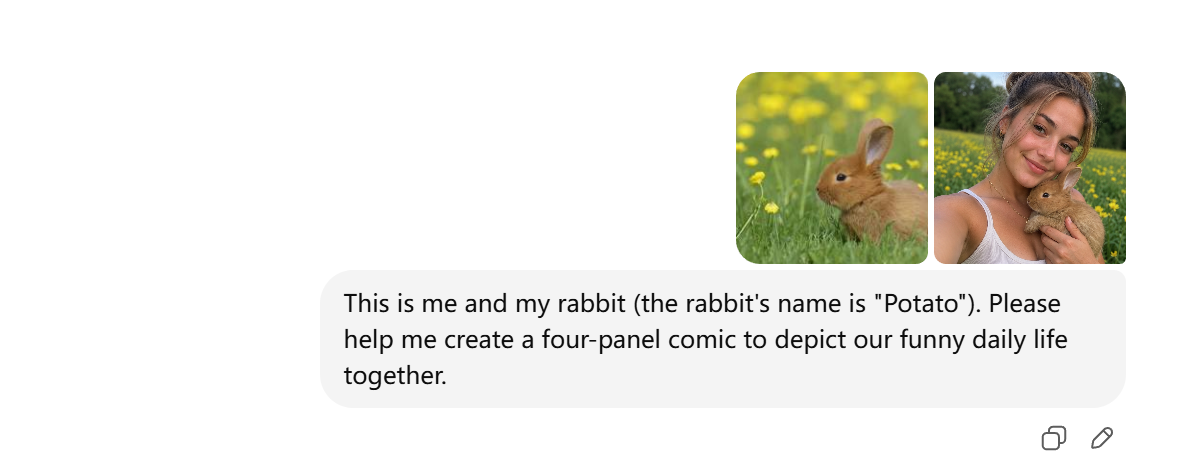
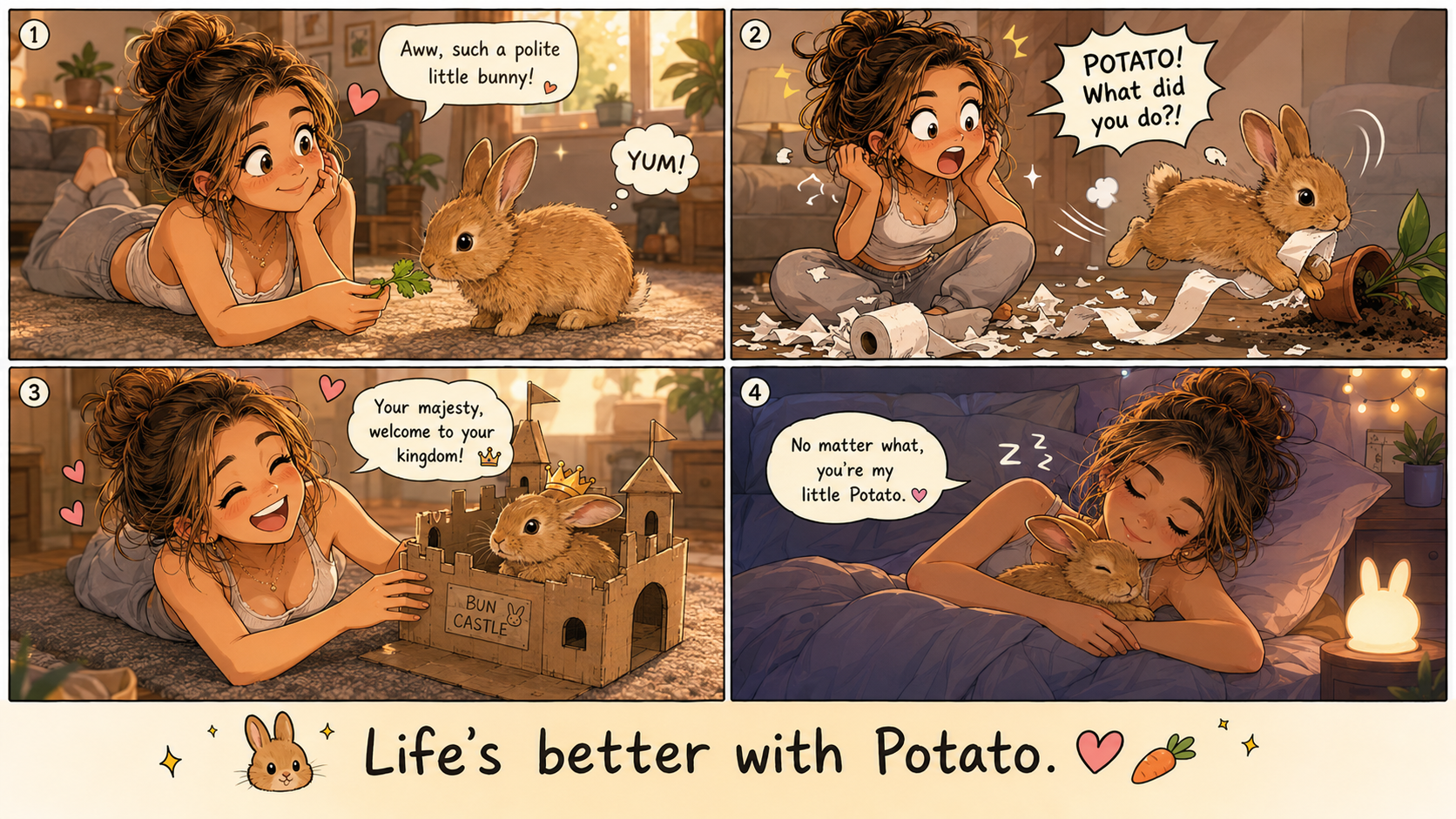
Have you also wanted to turn the cozy daily life with your pet into a comic, but got stuck due to "insufficient drawing skills"? Actually, the way to record life shouldn't be limited by a brush. Now, with the help of ChatGPT Images 2.0, without any drawing skills, just upload photos and write a story, you can instantly generate an exclusive four-panel comic, freezing the little warmth into a healing picture all your own.
After:
2.Create teaching images
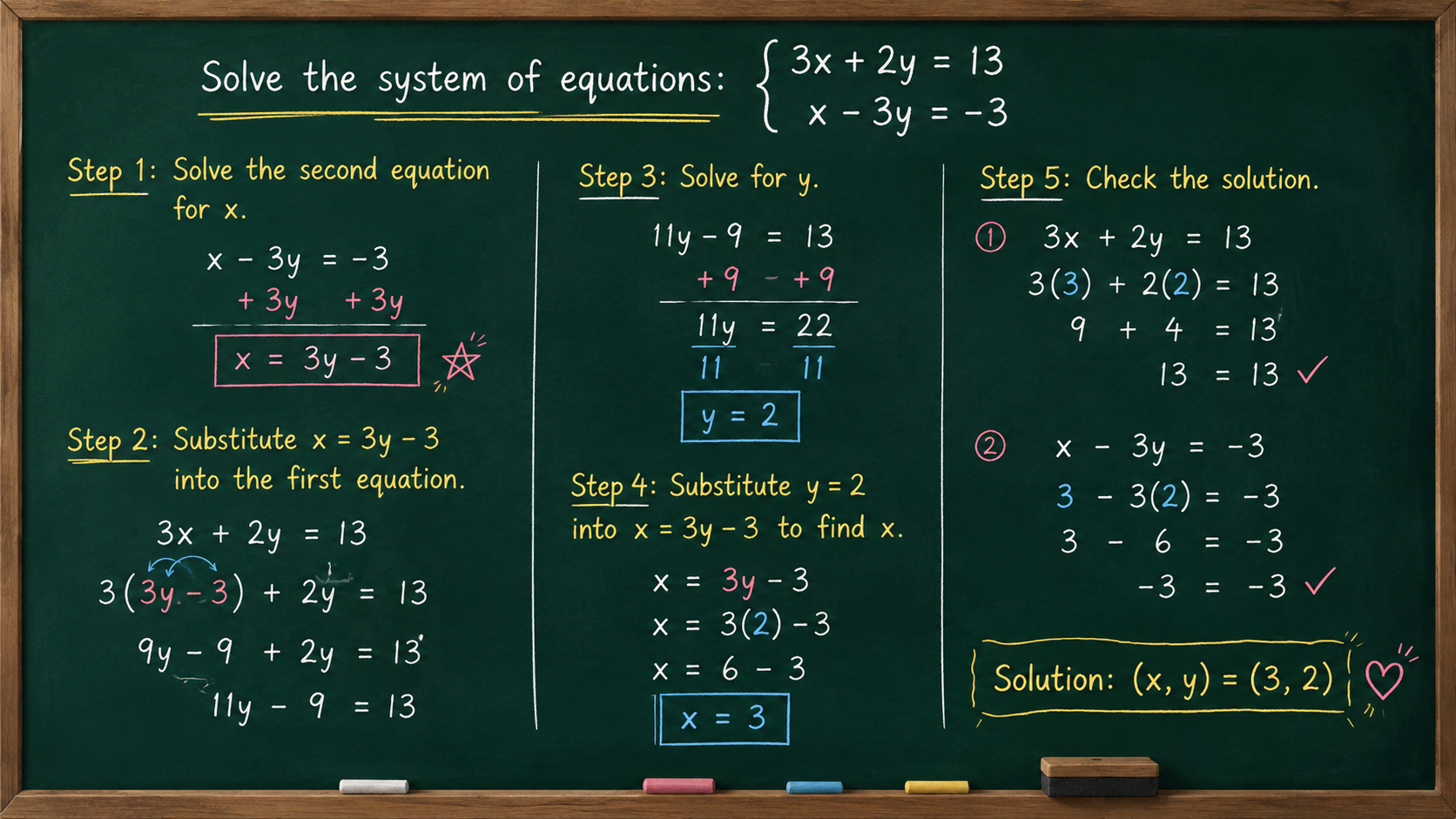
It's understandable that creating such a clear and neat blackboard diagram for teaching doesn't necessarily require you to be able to hand-draw lecture notes?
When explaining math problems to students or readers, yet struggling to create aesthetically pleasing teaching illustrations, you are worried about the handwriting being too unclear and also afraid that the layout might be messy and hinder understanding? Now, with the help of ChatGPT images 2.0, all you need to do is make the problems and solution steps clear, and you can instantly generate a professional and neat blackboard teaching diagram like this. It breaks down the complex problem-solving process into straightforward steps, which is not only convenient for teaching but also makes your tutorial content more intuitive and textured.
The following system of equations.:
3x + 2y = 13
X - 3y = -3
Draw a blackboard and write out the detailed solution steps on it
After:
3.Change the shooting angle of the photo
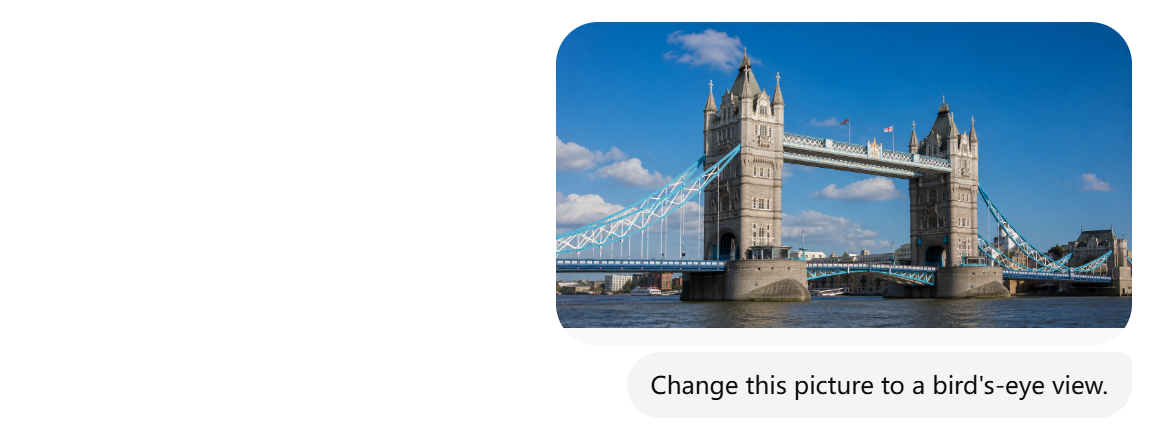
You always feel that your photos are not impressive enough and can't find the ideal shooting angle? Actually, you don't need to repeatedly scout locations and adjust the camera position in order to take a good landscape photo. Nor do you need to fly to London specifically to take a "God's-eye view" photo of the Tower Bridge. With the help of ChatGPT iamges 2.0, you can easily change the shooting angle of a photo and unlock the familiar scenery from a brand new perspective. A photo that was originally unremarkable can instantly gain a cinematic feel and the texture of a blockbuster by changing the angle. Without retaking the shot, you can enrich your photo library in an instant.
After:
4.Create a Comic Version of The Photo
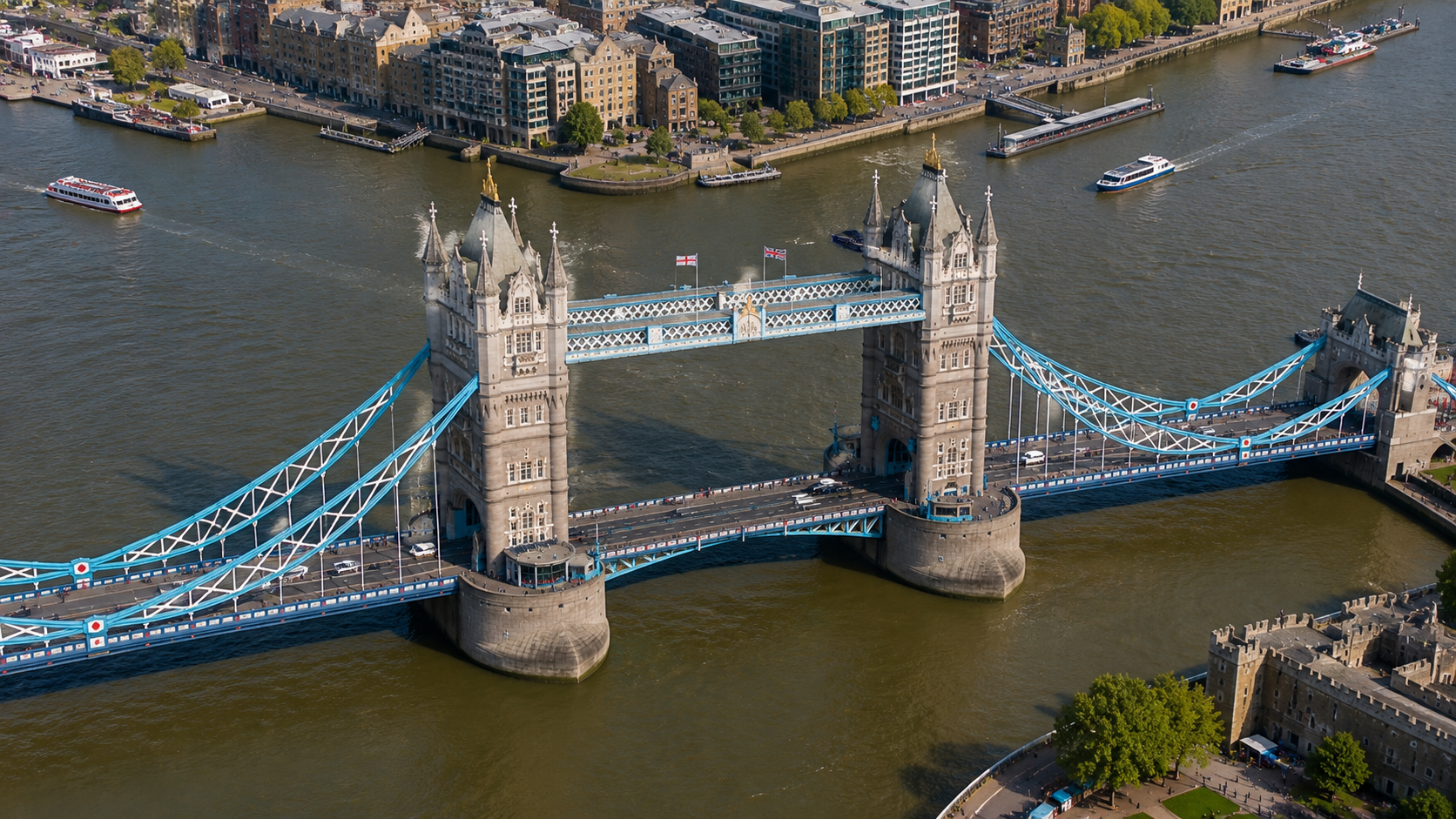
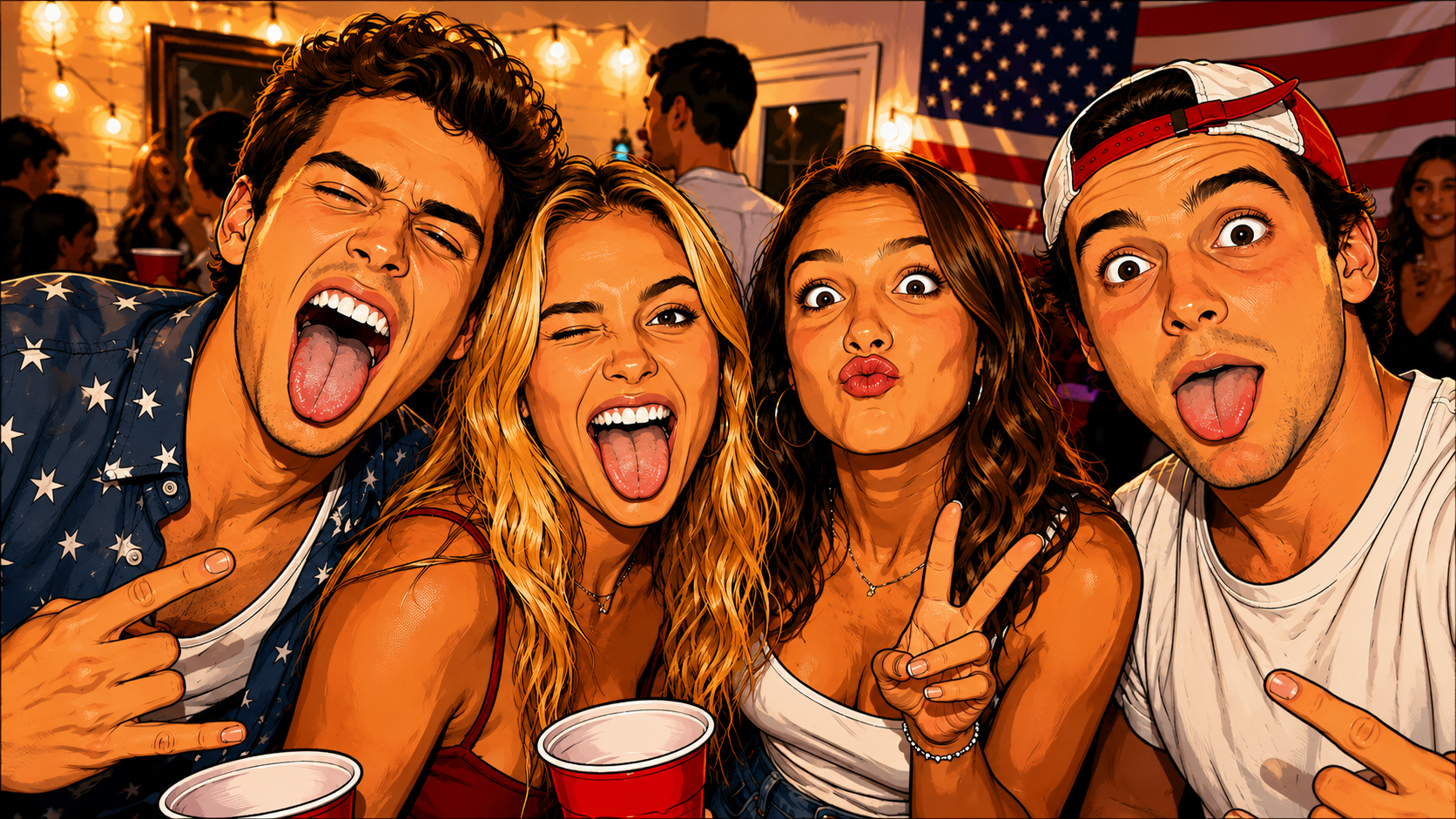
Have you also wished to transform this joyful moment from the party into a more narrative-rich comic image? Previously, if you wanted to add a comic filter to a photo, you either needed to use complex photo editing software or could only apply a monotonous template, making it difficult to restore the vivid expressions and atmosphere of each person in the photo. Now, with the help of ChatGPT images 2.0, you can simply convert an ordinary photo into a personalized comic style, preserving the original emotions and details while adding a touch of cute artistic charm, turning an ordinary party photo snapshot into a unique memento.
After:
5.Combine Various Elements Together
Have you ever struggled with this: you want to combine different materials—such as a person, an outfit, and a background—into one complete creative image, but get discouraged by the complexity of Photoshop?
In the past, creating a natural and cohesive composite required a lot of time spent on cutting out subjects, adjusting colors, and matching lighting and shadows. For beginners, the barrier to entry was extremely high.
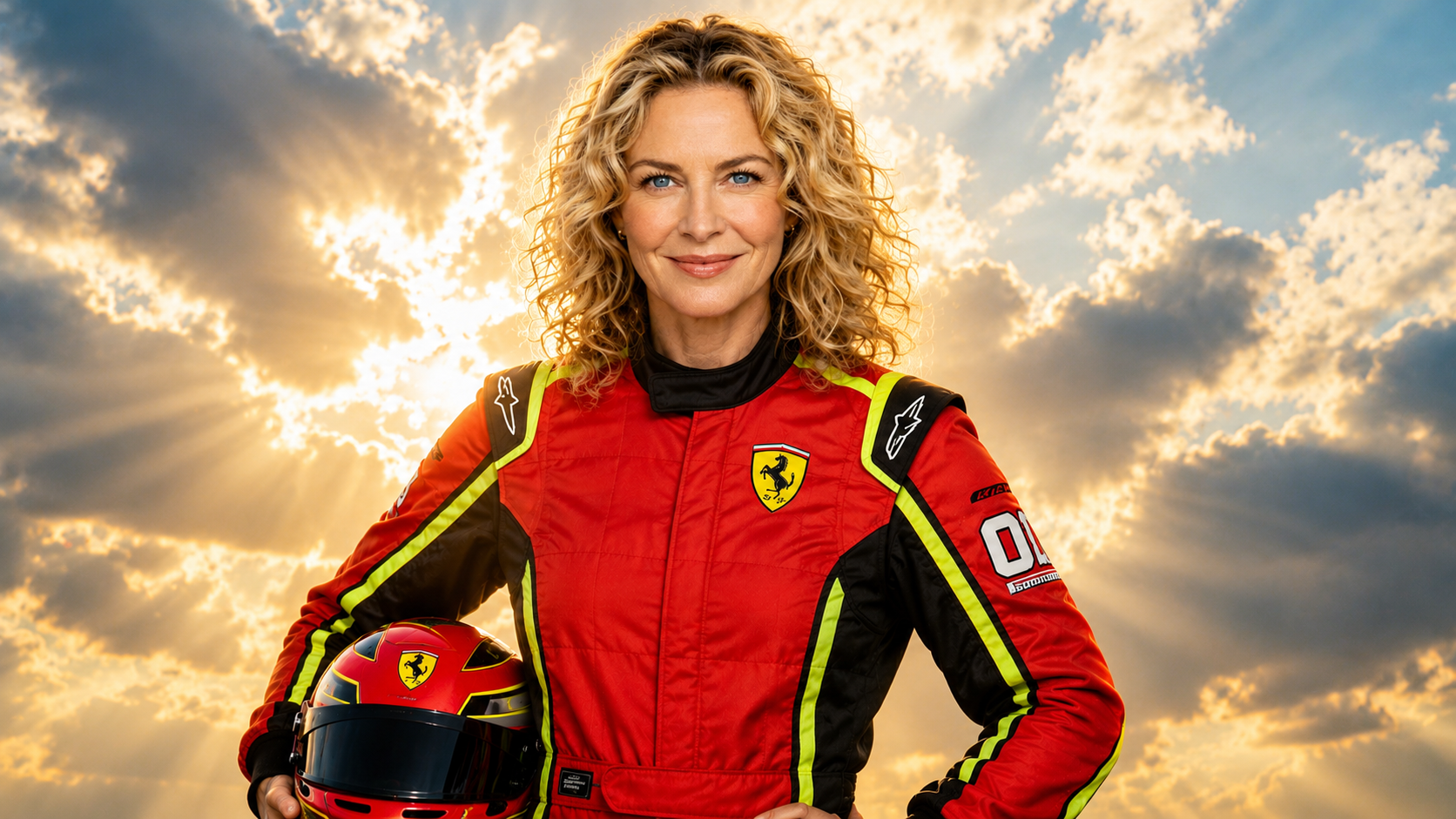
But now, with ChatGPT images 2.0, you can easily merge multiple separate elements into a brand-new image without any professional editing skills. It allows you to bring your most imaginative ideas to life, transforming scattered materials into a fully cohesive, atmospheric, and visually striking composition.
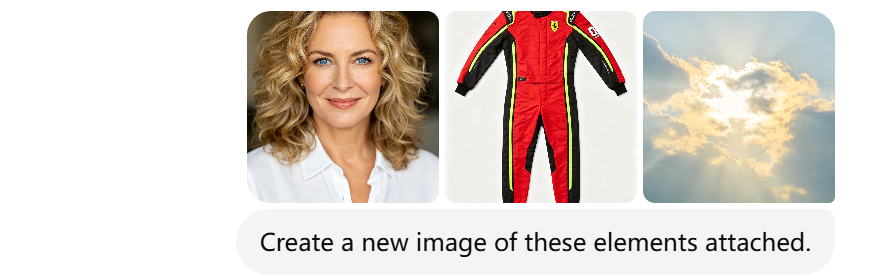
After:
6.Transform Image Style
Who wouldn’t want to see cartoon characters from drawings step into reality?
In the past, turning a soft and adorable illustrated character into a photorealistic image either meant relying on repetitive filters or using professional 3D modeling and post-production. For most creators, the barrier was simply too high.
Now, with ChatGPT images 2.0, you can easily transform cartoon illustrations into photo-realistic visuals. From 2D lines and colors to 3D lighting and texture details, it can instantly recreate a natural, lifelike aesthetic—turning flat characters into vivid, tangible images that feel almost real.
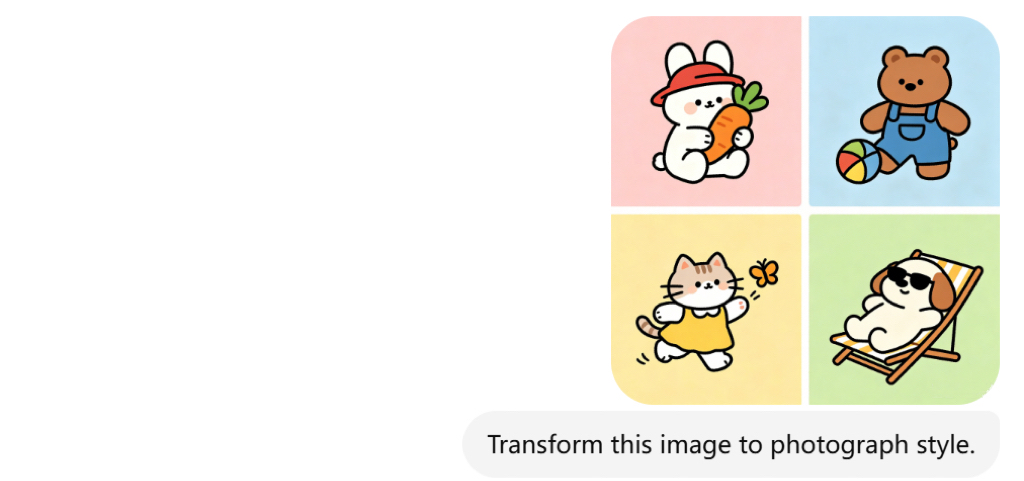
After:
❤️Conclusion
In conclusion, ChatGPT iamges 2.0 is far more than just a tool for generating simple images—it is a powerful creative assistant that can significantly expand the way we create, learn, and communicate visually. From turning everyday moments into personalized comics, to producing clear and professional teaching diagrams, from changing photo perspectives to reimagining entire visual styles, these techniques show how flexible and transformative AI image generation has become.
By combining different elements, styles, and ideas, you are no longer limited by technical skills or traditional editing tools. Instead, you can focus on creativity and storytelling, bringing your imagination to life in ways that were once difficult or time-consuming to achieve.
As you continue exploring these 6 methods, you’ll discover that the real power of ChatGPT images 2.0 lies not just in generating images—but in unlocking entirely new ways to express your ideas visually.


'%20fill-opacity='.4'/%3e%3cpath%20d='M29.07%2012c.982%200%201.473%200%201.88.194.35.166.667.457.863.79.23.389.27.859.354%201.797.27%203.072.518%207.922-.297%2010.472-1.03%203.22-5.8%206.507-8.257%208.023-.477.295-.715.441-1.038.515a2.227%202.227%200%200%201-.868.006c-.324-.07-.565-.215-1.046-.504-2.512-1.51-7.435-4.811-8.478-8.04-.888-2.752-.622-7.52-.327-10.524.09-.914.135-1.372.365-1.757.196-.327.516-.617.86-.78.407-.193.89-.192%201.853-.192H29.07z'%20fill='var(--fill-0,%20%23FD7F11)'/%3e%3cpath%20d='M26.337%2017.75a.854.854%200%200%201%201.212-.11.872.872%200%200%201%20.11%201.218l-6.088%207.392a.855.855%200%200%201-1.2.122l-.07-.063-3.906-3.944a.871.871%200%200%201%200-1.222.853.853%200%200%201%201.216%200l3.24%203.268%205.486-6.66z'%20fill='var(--fill-0,%20white)'/%3e%3c/svg%3e)